Find quick answers to the questions recruiters and candidates ask most often. If your question is not covered here, reach out via Contact Support: live chat responses arrive in minutes, and emails to hello@equip.co are answered within 24 hours.

Pricing and Credits

Equip runs on subscription plans (Standard, Premium, or Elite), each with a monthly credit allowance and a seat limit. Credits are spent only when candidates actually take an assessment or an AI interview, and unused credits never expire while you’re subscribed.1 credit costs $1 (USD) or ₹95 (INR). Your team’s currency is determined by its country. See How Credits Work for the full billing model.
There is no separate demo account, and you do not need one. Every new team gets 10 free trial credits on signup, enough to assess up to 10 candidates before paying anything.Even without credits you can create unlimited assessments, invite unlimited teammates, and preview unlimited tests. To explore before signing up, open the sample recruiter dashboard with pre-filled data.
Recruiter accounts require a work email. Personal domains such as gmail.com or outlook.com cannot create a team. See Demo or Trial Account for details.
For assessments, the policy is 1 credit per test the candidate actually starts:
1

Invitation sent

The first credit is deducted immediately when you invite the candidate, even if the email bounces or is never opened.
2

Each later test starts

When the candidate starts Test 2, the second credit is deducted; Test 3 deducts the third, and so on. A test counts as started when its questions load.
3

Candidate never starts

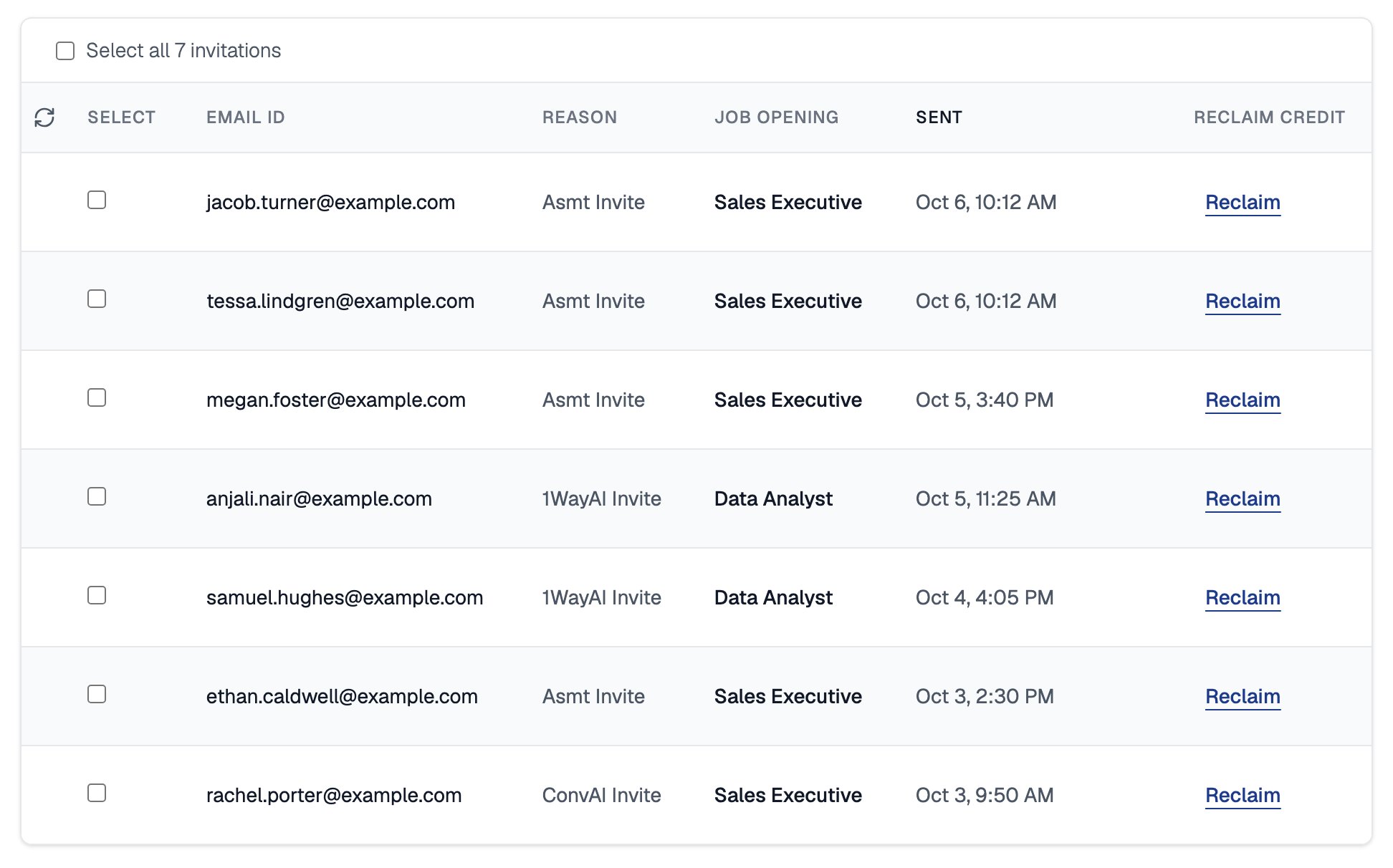
If the candidate never starts the first test, you can reclaim the invitation credit after 24 hours.
The full policy, with a worked example, is in Credit Deduction Policy.
Both situations are covered by Reclaim Credits (sidebar: Account, then Reclaim Credits). Any invitation sent more than 24 hours ago where the candidate has not started the first test is eligible.If you invite the same candidate twice, Equip warns you first; proceeding deducts 2 credits, and you can reclaim the unused invitation after 24 hours.
Reclaiming a credit invalidates that candidate’s invitation link and deletes their test data. To assess them later, you must invite them again. See Reclaim Credits.
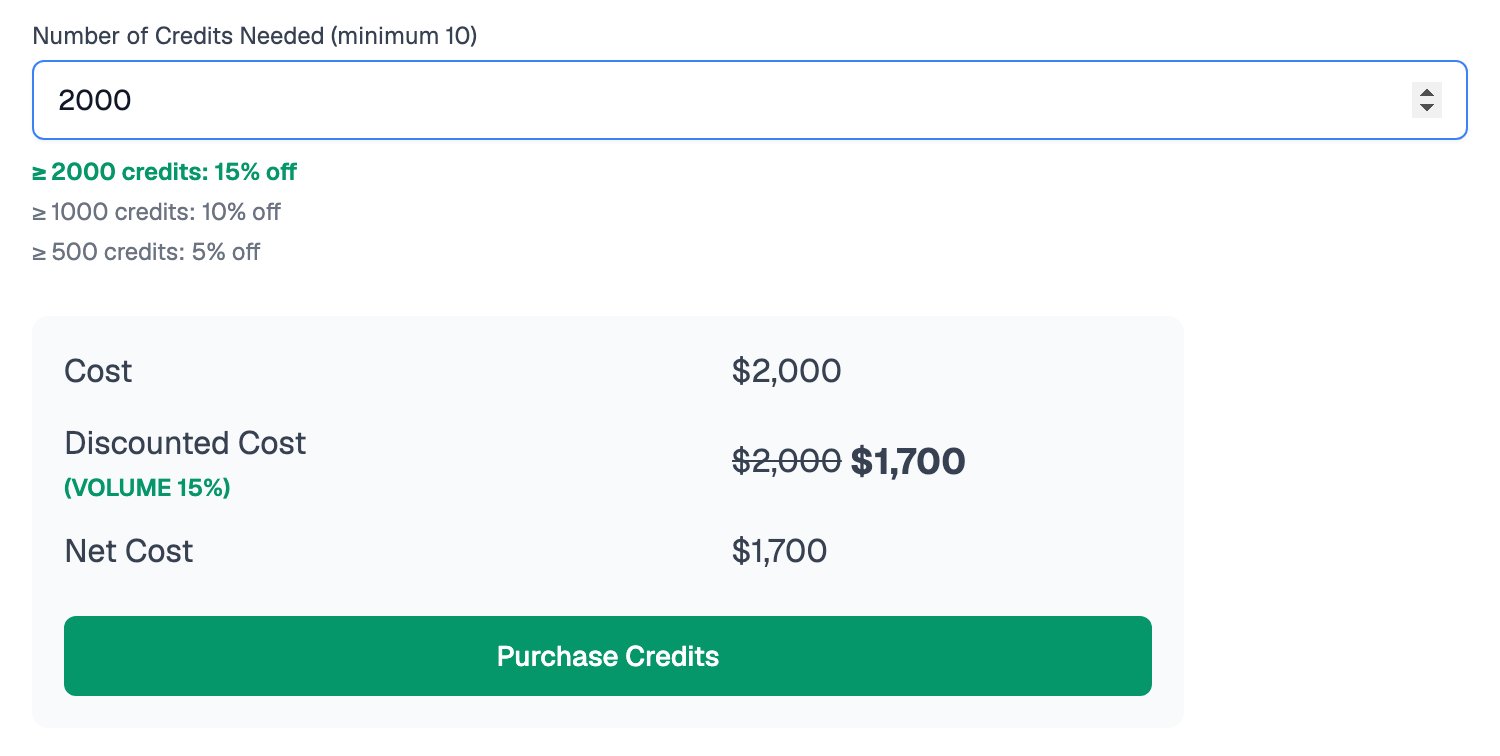
Volume discounts are applied automatically at checkout:
The minimum purchase is 10 credits ($10 or ₹950). You can buy up to 5,000 credits in a single transaction. In India, 18% GST is added, and you can enter your GSTIN so it appears on the invoice.Payments are processed by Stripe (cards), and in India via Razorpay (UPI, NEFT, and cards). After payment, your balance updates automatically and the invoice is emailed to the Team Admin. See Invoices for self-serve invoice downloads.

Assessments

Yes. An assessment is a sequence of tests, each targeting a skill. The three-step builder lets you add tests, order them, and set per-test weightage; the estimated total duration is computed automatically.A single quiz can also cover up to 6 skills on its own. See Testing Multiple Skills and Assessment Hierarchy.
Equip offers nine test types:See Test Types for details on each.
Yes. Every test type offers Equip Content (pre-built library tests) and My Content (your own custom tests). You can author questions directly or bulk-import them from Excel, with Markdown and LaTeX support for quizzes.See Equip vs Custom Content to decide which fits your role.
Assessments run with AI proctoring: face detection, tab-switch detection with screenshots, audio monitoring, random photos, multiple-monitor detection, full-screen enforcement, session recording, and optional ID verification.Each completed attempt gets a Trust Score from 0 to 100% summarizing how reliable the session was, shown at the top of the candidate report. Candidates see exactly which measures are active before starting and give consent. See AI Proctoring and Trust Score.
Yes, previews are free and unlimited. Preview as a recruiter to jump freely between tests without proctoring, or as a candidate to get the exact real experience. Equip library quizzes preview with sample questions so the live question pool stays protected.See Preview an Assessment.
Candidates see an archived assessment as closed, but all results are retained and you can un-archive it at any time. Assessments are never deleted.See Archive an Assessment.

AI Interviews

See One-Way vs Conversational for guidance on choosing.
Paste a job description (up to 7,500 characters), set the years of experience and optional focus areas, and Equip drafts the interview topics automatically. You can then mix content types: Questions (asked word for word), Topics (explored by the AI with follow-ups), and, where enabled for your team, Scenarios (reference material the candidate responds to).See Create a Conversational Interview.
Conversational interviews run in the language you choose: English (US, India, UK), Hindi, Kannada, Telugu, Tamil, Marathi, Bengali, Spanish (Spain, US), French, German, Portuguese (Brazil), or Italian.See Interview Languages.
You can optionally allow candidates to restart an unfinished attempt; only the submitted attempt is graded. Once a conversational interview is submitted, it cannot be resumed or retaken.Brief network drops do not end the interview: automatic reconnection and a grace window keep the session alive. See Candidate Reattempts.
Each candidate gets an AI-generated report with an overall recommendation, strengths, areas for improvement, a summary, and per-topic scores. You also get the full transcript and a session recording; clicking a transcript line seeks the recording to that moment.Reports can be downloaded as PDFs. See Interview Reports.

Candidates

No account setup is needed beyond email verification. Candidates open the emailed or shared link and sign in with a 6-digit email code that expires in 30 minutes.See Candidate Login Methods.
It depends on the test type:Google Chrome is recommended. Multiple-monitor detection works only on Chromium-based browsers, and video interviews on iOS require Safari. See Device Compatibility.
Assessments resume after disconnects or accidental tab closes wherever the test type allows it, and proctoring evidence captured offline syncs when the connection returns. Conversational AI interviews reconnect automatically with a grace window for brief drops, but cannot be resumed once submitted.See Resume Your Attempt.
No. Results are recruiter-gated: candidates see a completion confirmation and are directed to contact the recruiter for outcomes. Equip does not provide candidate-facing scores, certificates, or badges.
Candidates unsure whether their attempt went through can be reassured by the completion screen; recruiters can verify on their side in Live Progress.
Before starting, candidates see exactly which proctoring measures are active and consent to the proctoring report being shared with the recruiter. Nothing is monitored without that upfront disclosure.Candidates are also offered a skippable one-minute demo test to check that their device and camera work before the real attempt. See Demo Tests.