
Creating from a Job Description
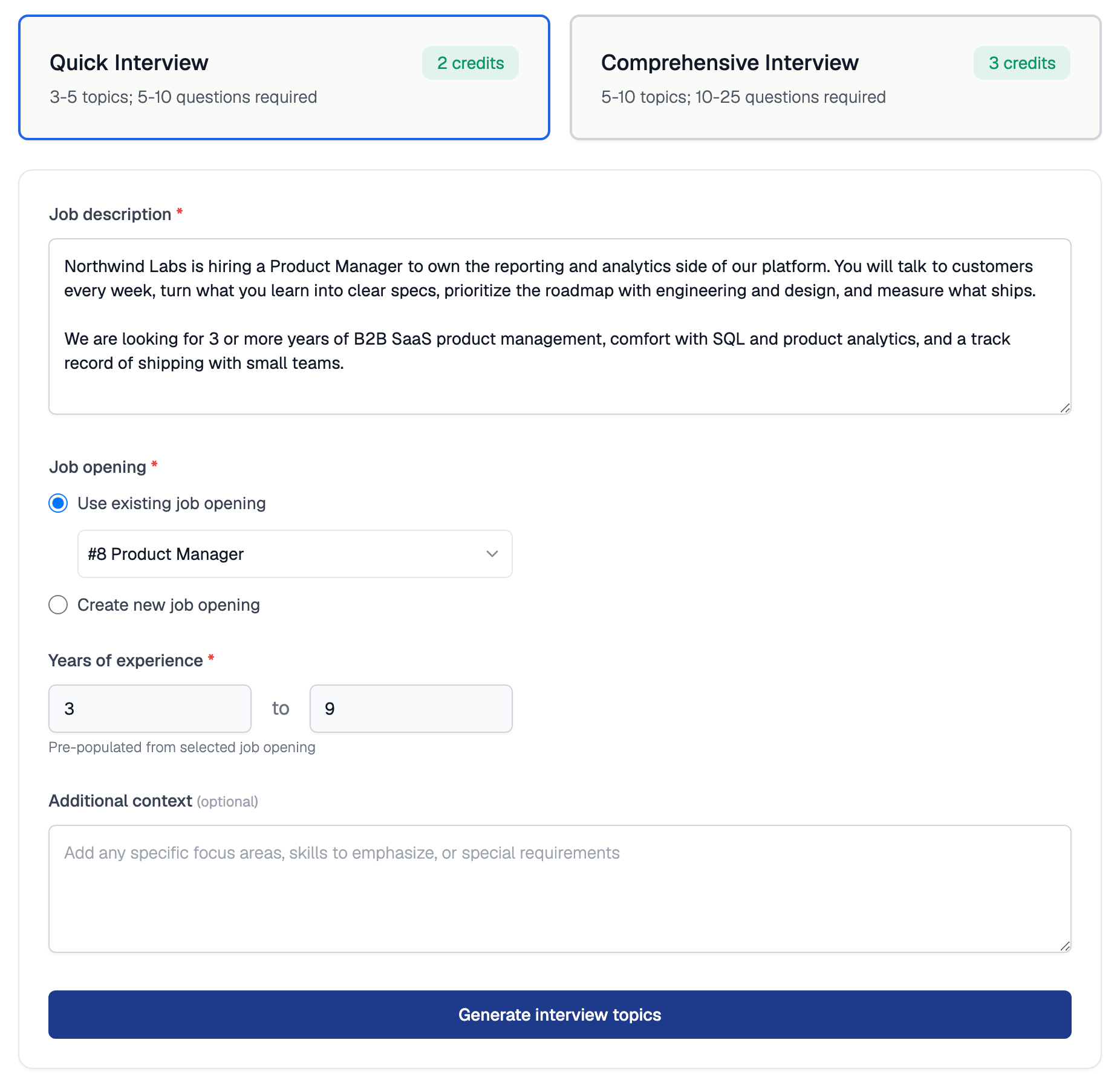
The Create AI Interview page with a job description pasted in and a job opening linked
1
Open the creation page
Go to AI Interviews, click Add AI Interview, then choose Conversational Interview.
2
Pick the interview type
Select Quick Interview or Comprehensive Interview (see the comparison below).
3
Paste the job description and link a job opening
Paste the Job description, then pick an existing job opening or enter a title for a new one. Enter the Years of experience; if you picked an existing job opening, the range comes from it and is locked. Additional context is optional.
4
Generate the interview
Click Generate interview topics. You can edit, reorder, or delete the generated topics before inviting candidates; see Questions, Topics, and Scenarios.
Quick vs Comprehensive
You can change the type later on the interview’s settings page. Switching from Comprehensive to Quick is blocked if the interview has more than 10 questions; remove some first.
Instructions for the AI Interviewer
On the interview’s settings page, the Instructions for AI Interviewer field lets you steer the tone, pacing, and evaluation style of the interview. For example:- “Start with easier questions, and then make them harder.”
- “Score higher if they use simpler words.”

Instructions for AI Interviewer on the interview's settings page
These instructions apply to the whole interview. For per-question control, edit the individual items instead.
Related Resources
- One-Way vs Conversational Interviews - Decide which interview format fits your hiring round
- Questions, Topics, and Scenarios - Edit the generated items and their follow-ups
- Interview Settings - Configure language, availability, Workspace, and proctoring
- How Credits Work - Credit costs and how to reclaim unused credits