
When You Can Resume
Refreshing the page, or opening the link in another tab, browser, or device, all count as resuming. Whether you pick up where you left off depends on whether the time limit sits on each question or on the whole test. See Time Limits.If you were invited by email with a unique link, you can switch to a completely different device and your remaining time carries over.
How to Resume
1
Open your assessment link on any device
Use the link you started with, from your invitation email or your recruiter. Sign in with the same email ID, because a different email would start a different candidate’s attempt.
2
Continue the assessment
Equip drops you back into the test you were on.
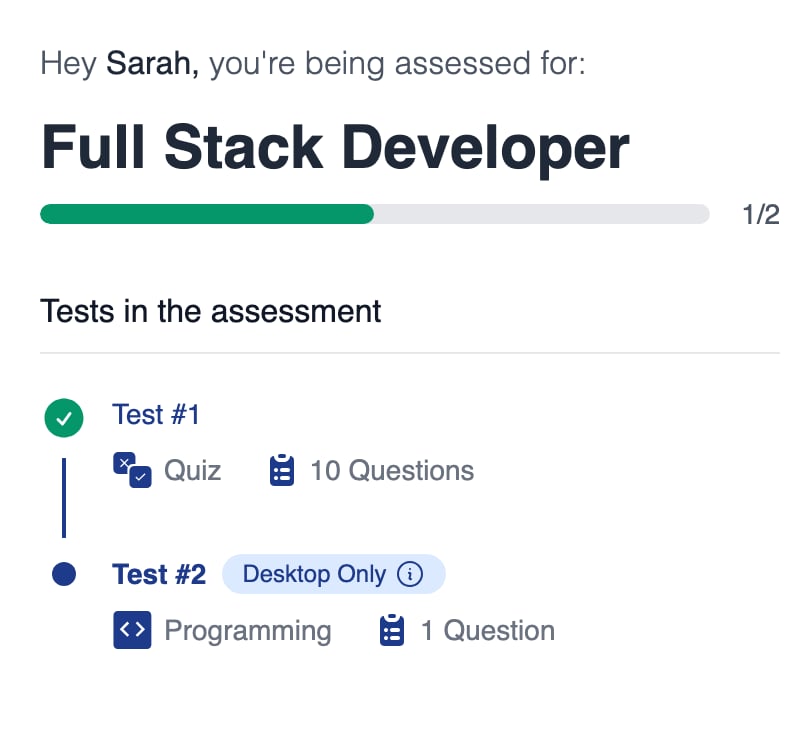
Reopening your link brings you back to the test you were on, with finished tests ticked
Tests That Cannot Be Resumed
If your attempt cannot be resumed, ask your recruiter to delete the attempt and send you a new invitation. See Candidate Re-Attempts.
Resuming an AI Interview
Related Resources
- Taking an Assessment - The full candidate flow from invitation to completion
- Time Limits - Why timers apply per test or per question, never per assessment
- Candidate Re-Attempts - How recruiters reset an attempt so you can start over
- Candidate Issues - Troubleshooting steps when a test will not load or misbehaves