
Candidate Consent
Equip never proctors a candidate silently. Before an assessment or AI interview begins, every candidate sees exactly which proctoring measures are active for their attempt, such as camera monitoring, audio detection, tab-switch tracking, or session recording.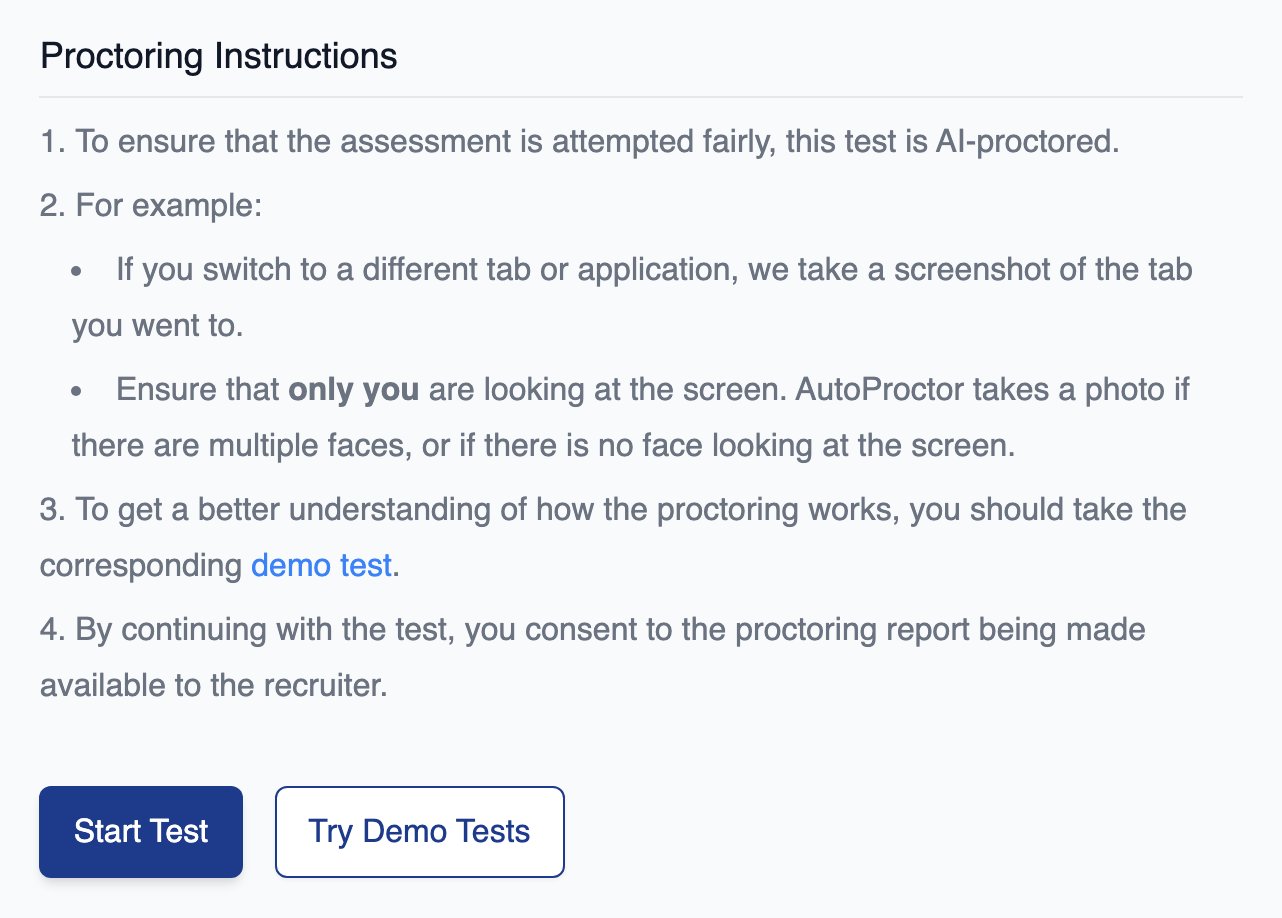
Before a test starts, the candidate sees what is monitored and what starting the test consents to
1
Review the active measures
Nothing runs that is not listed in the pre-test instructions.
2
Grant device permissions
If the camera or microphone is required, the candidate grants browser permissions and can test both devices before starting. Browser-specific guides help with permission issues.
3
Consent and start
By starting the attempt, the candidate consents to the listed measures and to the proctoring report being available to the recruiter.
Session Recording Privacy
When Record User Session is enabled, Equip records the candidate’s screen and interactions (mouse and keyboard) for playback in the candidate report.Candidates do not receive scores, reports, or recordings from Equip; they are directed to contact the recruiter for outcomes.
Data Protection
Account Access
Recruiter accounts require a work email address. Signups from personal domains such as gmail.com or outlook.com are rejected, which keeps candidate data and question content inside verified companies. Login is passwordless: recruiters sign in with a 6-digit code sent to their email, and each code expires in 10 minutes.Candidate Data Deletion
Equip supports permanent deletion of a candidate’s data. Deletion removes the candidate’s test attempts, job applications, email records, and personal information, and it propagates to the systems that store attempt content. If a candidate asks you to erase their data, or you need a deletion for your own retention policy, contact Equip over chat or at hello@equip.co with the candidate’s email address.Question Content Security
Equip protects its question bank in layers:- Access is gated. Real questions are visible only to recruiter accounts or to candidates invited to a specific assessment. Only sample content is public, and search engines cannot index real questions.
- Quiz questions are hidden from everyone. Recruiters cannot see Equip’s quiz questions during assessment creation or in candidate reports. Questions are also picked and ordered randomly per candidate, so two candidates starting together rarely see the same questions.
- Coding questions rely on pool size. Recruiters can view coding questions, and the large pool across languages makes memorizing them impractical.
- Questions are refreshed. Overexposed questions are retired so new candidates never see them.
- Suspicious accounts are blocked. Recruiter accounts showing suspicious activity, such as harvesting questions, are shut down.
Compliance
Every customer is covered by the same standard legal framework. See Custom Service Agreements (SLAs) for what can be customized.
For questions about Equip’s security practices or documentation, reach out over chat or email hello@equip.co.
Related Resources
- AI Proctoring - How Equip’s proctoring measures work during an attempt
- Session Recording - Enabling and reviewing screen recordings in candidate reports
- Disable Camera and Mic - Running assessments without camera or microphone access
- Custom Service Agreements (SLAs) - When Equip signs custom legal paperwork