

Invite and Preview sit side by side under each assessment
What Previews Are For
Preview lets you or anyone on your team walk through the assessment without spending credits, as many times as you like. Choose As a Recruiter (proctoring off) or As a Candidate (the exact candidate flow). See Preview an Assessment.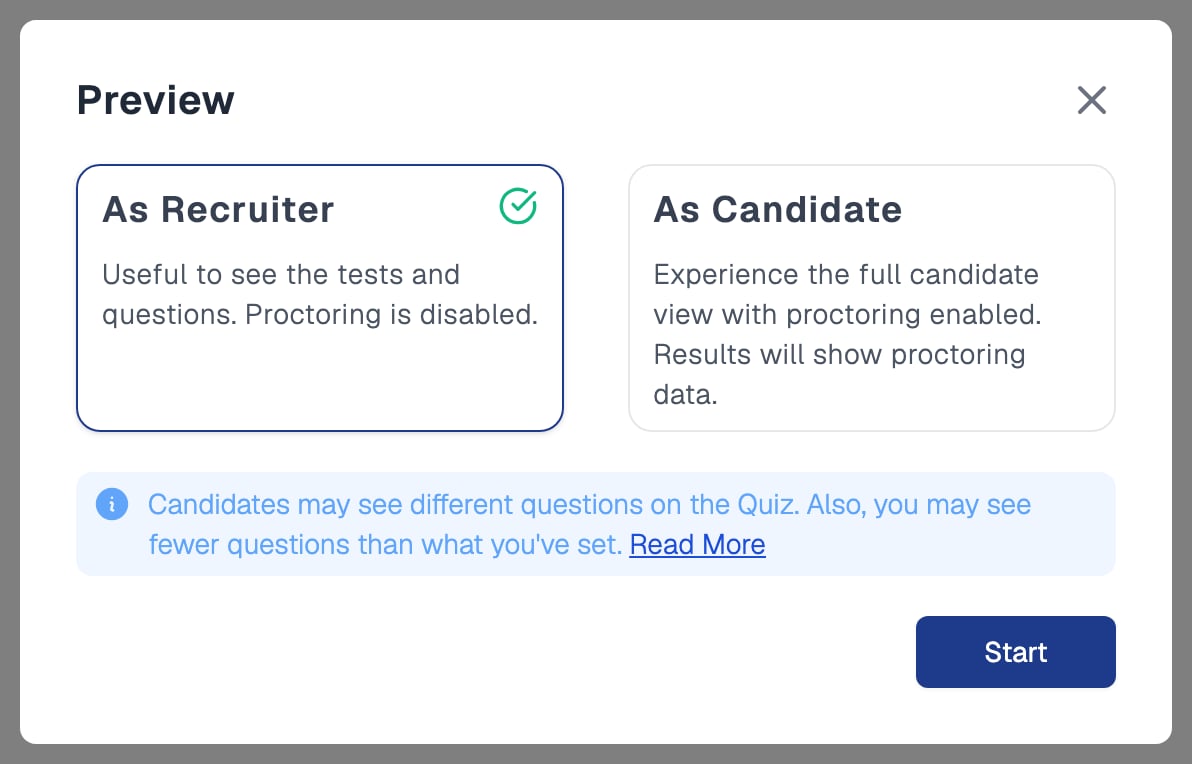
Preview offers two modes, As Recruiter and As Candidate
Previews show sample questions for quizzes built from Equip’s question bank, never the actual ones. See Why can’t I see quiz questions?
What Invitations Are For
Invitations are the real thing. Invite yourself or a teammate when you need to verify end-to-end behavior: real questions, actual proctoring evidence, grading, and the final report.1
Open the invite page
Click Invite under the assessment on your dashboard.
2
Send the invitation
On the Send Invitations tab, enter your own or your teammate’s email address. See Email Invitations.
3
Attempt the assessment
Open the unique link from the invitation email and complete the assessment.
Previewing and Inviting for AI Interviews
The AI Interviews dashboard shows the same Invite and Preview links under each interview, and the same choice applies.
The per-candidate cost is in the dashboard’s credits column.
You must be logged in with your work email and be a team member to preview. For an interview that is a stage of a job opening, Invite opens on the Track tab, because candidates are invited from the pipeline.
Credit Differences
Related Resources
- Preview an Assessment - Step-by-step guide to previewing your assessment
- Email Invitations - How to invite candidates by email
- How Credits Work - Credit pricing, deductions, and reclaiming unused credits
- Creating a One-Way AI Interview - Set up an AI interview to preview or invite candidates to