
Unique Links per Candidate
When you send email invitations, each candidate receives a unique assessment or AI interview link that only they can use. AI interview invitations go out from the same email invitations dashboard as assessment invitations.1
Candidate opens the link and gets a verification code
Equip sends a verification code to the invited email address. See Candidate Login Methods for the sign-in flow.
2
Candidate verifies and starts
The code takes them straight to the assessment or AI interview. No password or account is needed.
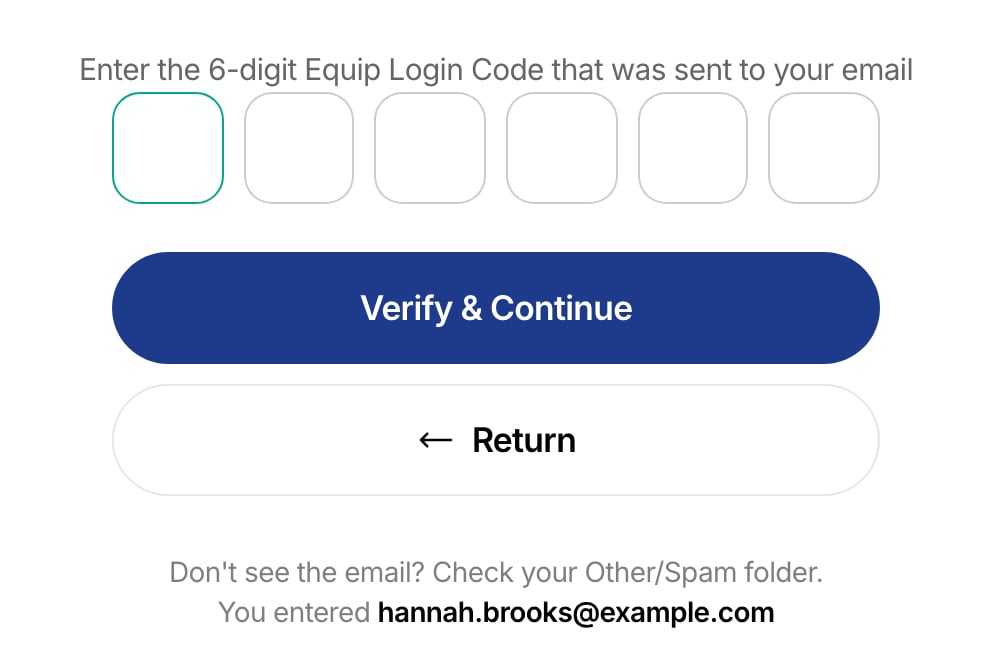
The candidate enters the 6-digit code sent to the invited email address
Because the verification code always goes to the original invitee’s inbox, forwarding a link does not transfer the invitation.
Switching devices
Clicking the link again on a different device resumes the attempt with the remaining time intact. A fresh invitation therefore cannot grant a second attempt: any new link resumes the unfinished attempt. See Candidate Re-Attempts to allow a genuine retake.Link Expiry
By default, invitation links never expire. To set an expiry, enter 1 to 365 in the Link Expiry (days) field on the Send Invitations tab, and links stop working that many days after sending. The field works the same way for AI interview invitations.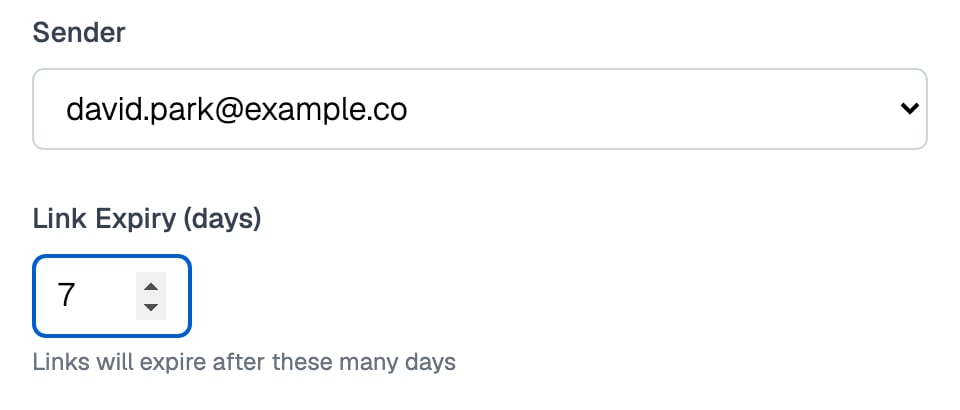
Link Expiry (days) sits under Sender on the Send Invitations tab
Invalid and Already-Used Links
When a link stops working, the candidate sees a page that explains why. For AI interviews, an expired or invalid link shows a Link Expired or Link Invalid page asking them to contact whoever shared it.
If a candidate says they never received or lost their link, check its email status first, then re-invite. The unused link’s credit is reclaimable after 24 hours as long as the candidate never started.
Related Resources
- Email Invitations - How to send invitations, upload recipients, and set link expiry
- Share URL vs Email Invitations - When to use unique links versus a public assessment URL
- Candidate Re-Attempts - Why new links resume old attempts and how to allow retakes
- Taking an AI Interview - What candidates see after opening an AI interview link