
Build the Pipeline
1
Add your stages in order
In the job opening’s Candidate Pipeline, add a stage for each step, in the order candidates take them. See Pipeline Stages for the stage types.
2
Link a test or interview to each evaluation stage
Attach an assessment to each Assessment stage and an AI interview to each AI interview stage, so Equip knows what to invite candidates to.
3
Add a rule to each stage
Add a rule that moves candidates on when they score well; see Stage Automation. When Equip asks you to confirm that the invitations will use credits, click Allow and save.
Example: A Customer Support Role
This pipeline screens CVs, runs a short one-way AI interview, then a communication test, and gathers the strongest candidates in a Custom stage called Review.
Each rule waits until the stage’s score is final (see what Finalized means). Candidates below a threshold stay in their stage until you act on them.
What Still Needs a Recruiter
CV scoring, invitations and auto-graded tests run on their own. A recruiter still grades the test types listed in How Tests Are Graded, reviews proctoring evidence, and makes the hiring decision.Review the Strongest Candidates
Rules cannot read the Trust Score, so a rule that moves candidates on by score alone ignores proctoring flags. Moving high scorers into a review stage, as in the example above, gives a person the final look.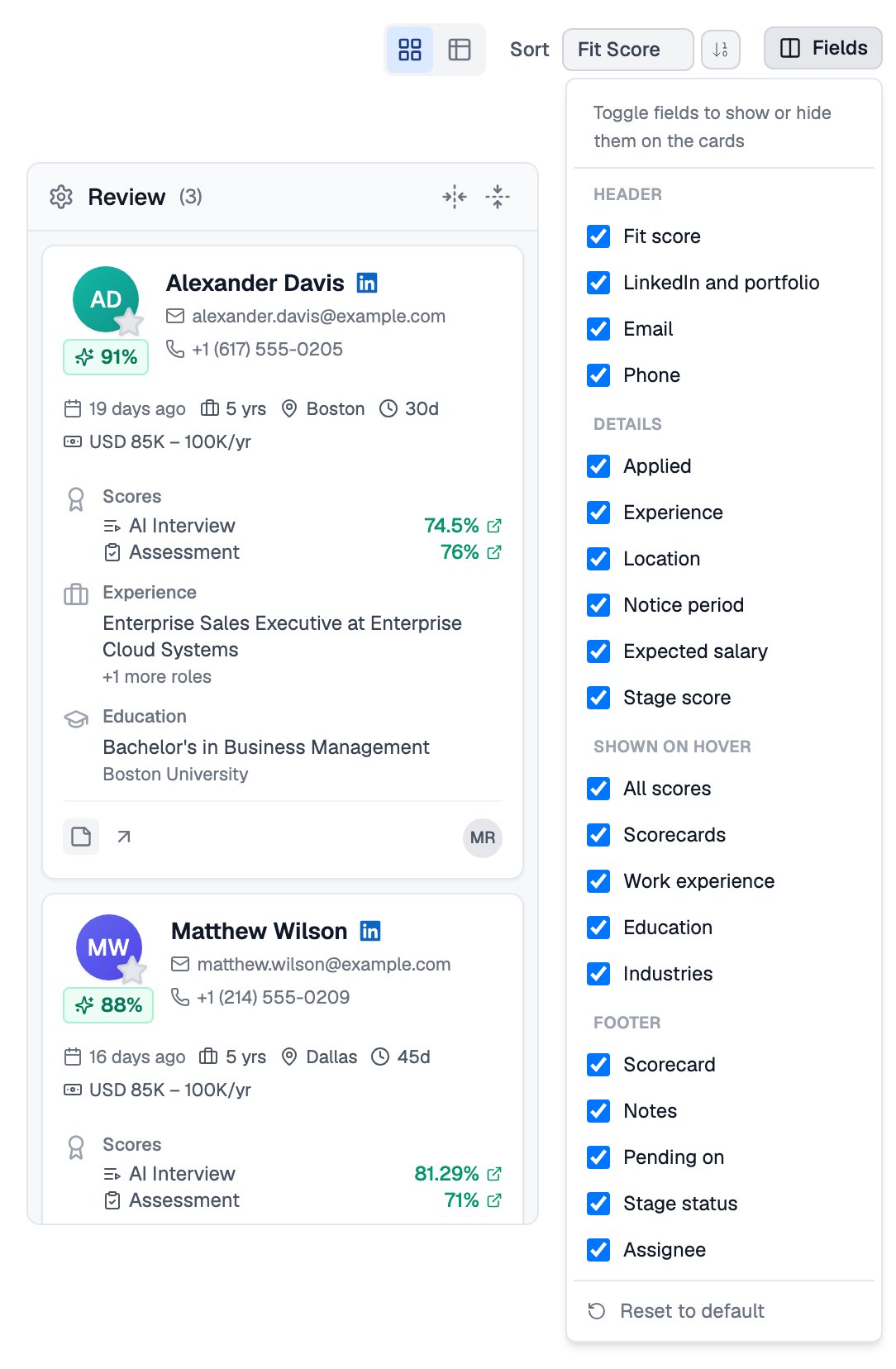
The Review stage with All scores turned on
Related Resources
- Stage Automation - Create, pause and edit rules
- Automation Triggers, Conditions, and Actions - Every trigger, condition and action
- Candidates and CVs - Table and Kanban views of your applicants
- Trust Score - How to read the proctoring summary on each report