
Auto-Graded Tests
Auto-graded tests are scored by Equip as soon as the candidate submits.Psychometric tests carry no points and are excluded from the overall score. Candidates get a personality graph instead; see Psychometric Scores.
Grading by quiz question type
Within a quiz, grading depends on the question type. Auto-graded question types include:- MCQ (single correct answer)
- MCA (multiple correct answers)
- Categorize
- Transcription
- Autograded Text (exact-match expected answer)
- Voice Input
- Short Text (essay-style answers)
- Single-line Input
AI-Graded Answers
For AI-graded questions, Equip’s AI evaluates the response and assigns points. This applies to open-ended text, audio, and video answers in AI-graded tests and AI interviews. You can steer the evaluation with an optional per-question AI evaluation prompt, and with test-level evaluation context that applies to the whole test.AI scores are not final. Open any response and adjust the awarded points manually. See AI-Graded Questions for setup details.
Manually Graded Tests
Two test types always need a recruiter to grade them: Video Response tests and CSS Challenges. Quizzes containing Voice Input, Short Text, or Single-line Input questions also need a manual pass for those questions.Finding ungraded submissions
1
Open the assessment results
Tests that still need grading are labeled ungraded.
2
Filter with Show Ungraded
Use the Show Ungraded filter on the Dashboard to list every submission that still needs grading.
3
Grade each pending question
Review the candidate’s response, then click the pencil icon to assign points.
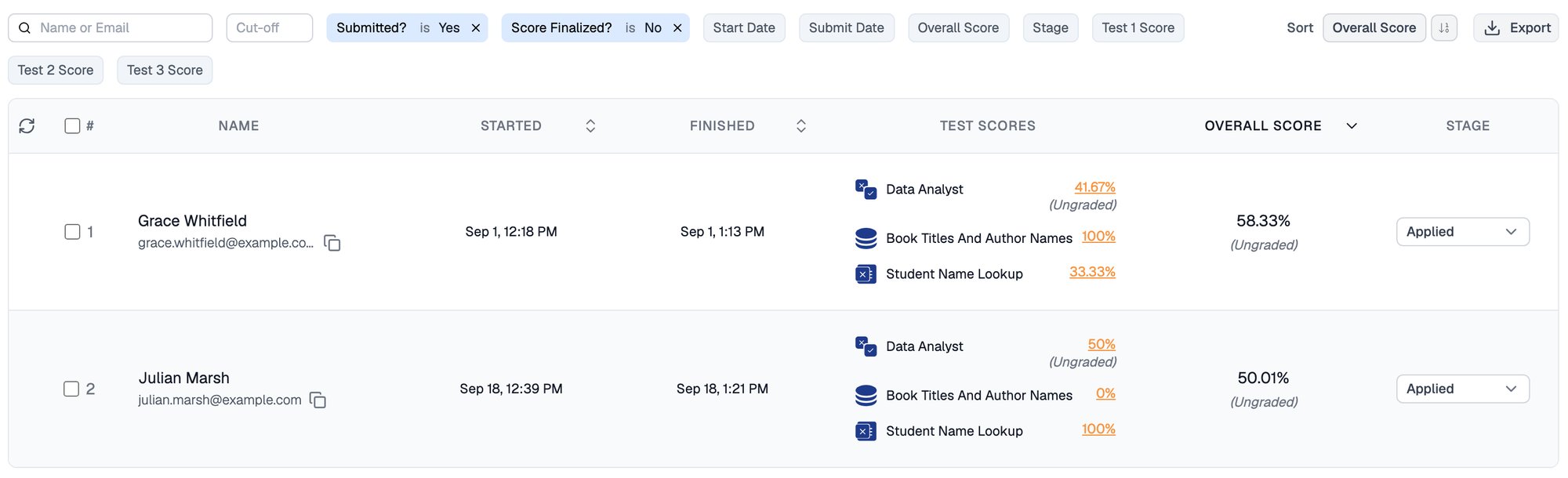
Set Score Finalized to No to list submissions that still need grading, each marked Ungraded
Editing points after grading
Wherever you see the pencil icon, you can change the points for a question, even if it was already graded automatically or manually.When you change a question’s points, Equip recalculates the test score and the candidate’s overall score automatically. Weightages you set in the Test Order tab still apply; see Test Scores and Overall Score for how the overall score is computed.
Related Resources
- Manual Grading - Step-by-step guide to grading video responses and CSS challenges
- Test Scores and Overall Score - How per-test scores and weightages combine into the overall score
- AI-Graded Questions - Configure text, audio, and video questions evaluated by AI
- Negative Marking - How negative points work in Equip and custom quizzes