
Per-Test Scores
Individual Test Scores appear in the assessment’s results on the Recruiter Dashboard. Click any test score to open the candidate’s report for that test.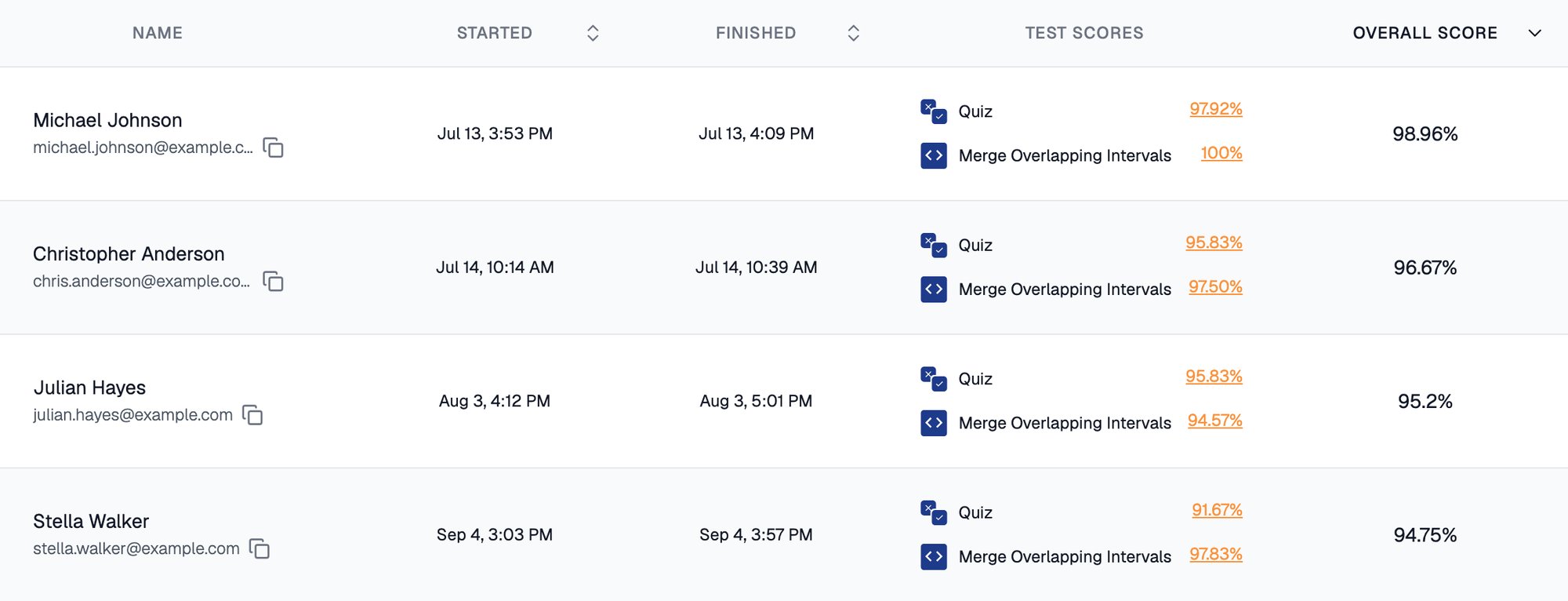
Each test has its own score, and Overall Score combines them
You can edit an awarded score at any time using the pencil icon on a response. The test score and Overall Score recompute automatically.
Weightage and the Overall Score
Weightage tells Equip how important each test is. All tests get equal weightage by default, and the sum of all weightages is always 100. If Programming matters twice as much as the Quiz, give it 67 and the Quiz 33. To calculate the Overall Score, Equip multiplies each test’s percentage score by its weightage and adds up the contributions:
To set or change weightage:
1
Open the Test Order tab
From the Assessments Dashboard, open the assessment’s settings and go to Test Order.
2
Assign weightage per test
The values must add up to 100.
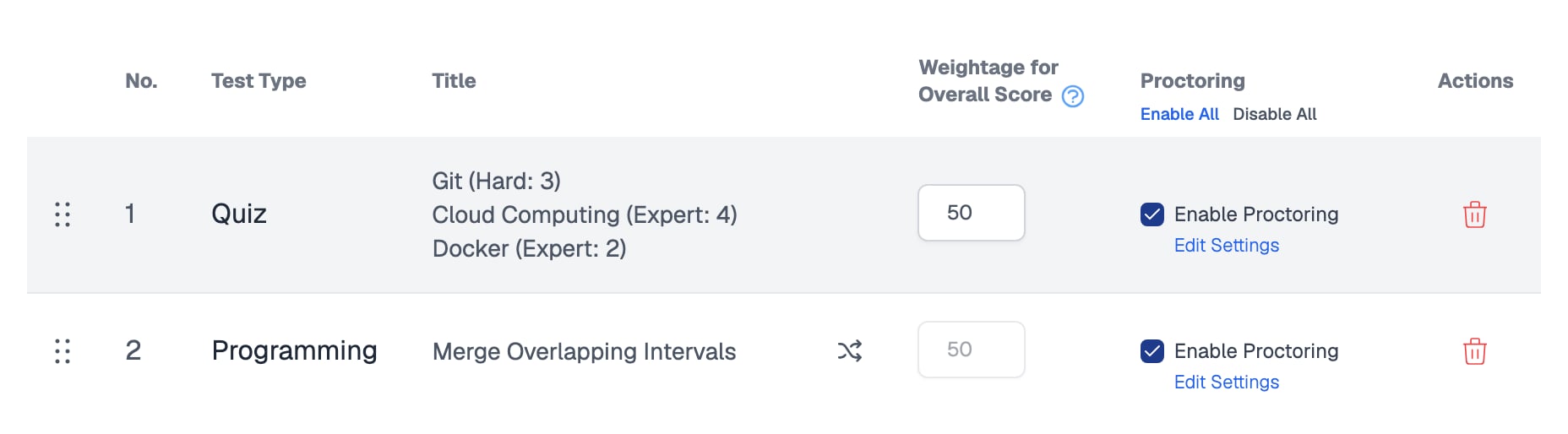
The Test Order tab has a weightage field next to each test
Cutoff Scores
Equip does not define a universal passing score; what counts as good depends on your role and hiring bar. The results dashboard gives you score and cutoff filters so you can view only the candidates above your threshold. You can mark candidates Shortlisted, Rejected, or Hired individually or in bulk. For guidance on choosing a threshold, see What Is a Good Assessment Score?.Related Resources
- Grading Tests - Which test types are auto-graded and how to grade the rest
- What Is a Good Assessment Score? - How to interpret scores and set a sensible bar
- Negative Marking - How wrong MCQ answers affect test scores
- Download Reports - Export per-candidate and full-assessment results