
How Scoring Works
When a candidate applies, Equip’s AI reads their parsed application against your job description and produces the score and its explanation. The score appears next to every candidate in the applications table, and you can sort the table by Fit Score.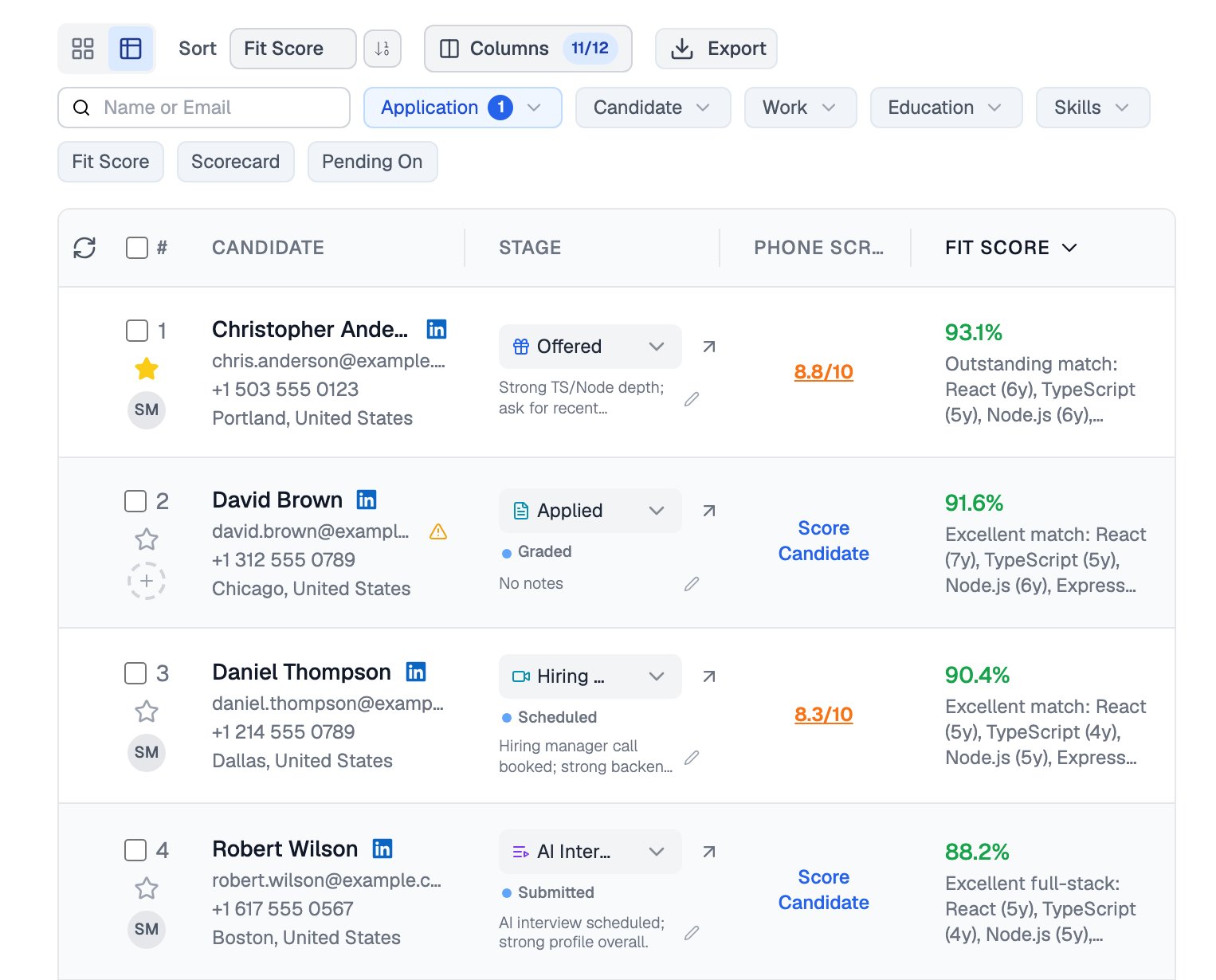
Applicants sorted by fit score, each with a one-line AI explanation
A score of 75 means the candidate ranks well within this job’s applicant pool. Scores are not comparable across different job openings.
Ranking Criteria
By default, the AI uses its own judgment about what makes a candidate a good fit for your job description. To steer it, select up to 3 ranking criteria from these six options:
Drag your selected criteria to prioritize them: the one at the top carries the most weight. If an option appears disabled, enable the field it depends on in your application form first.
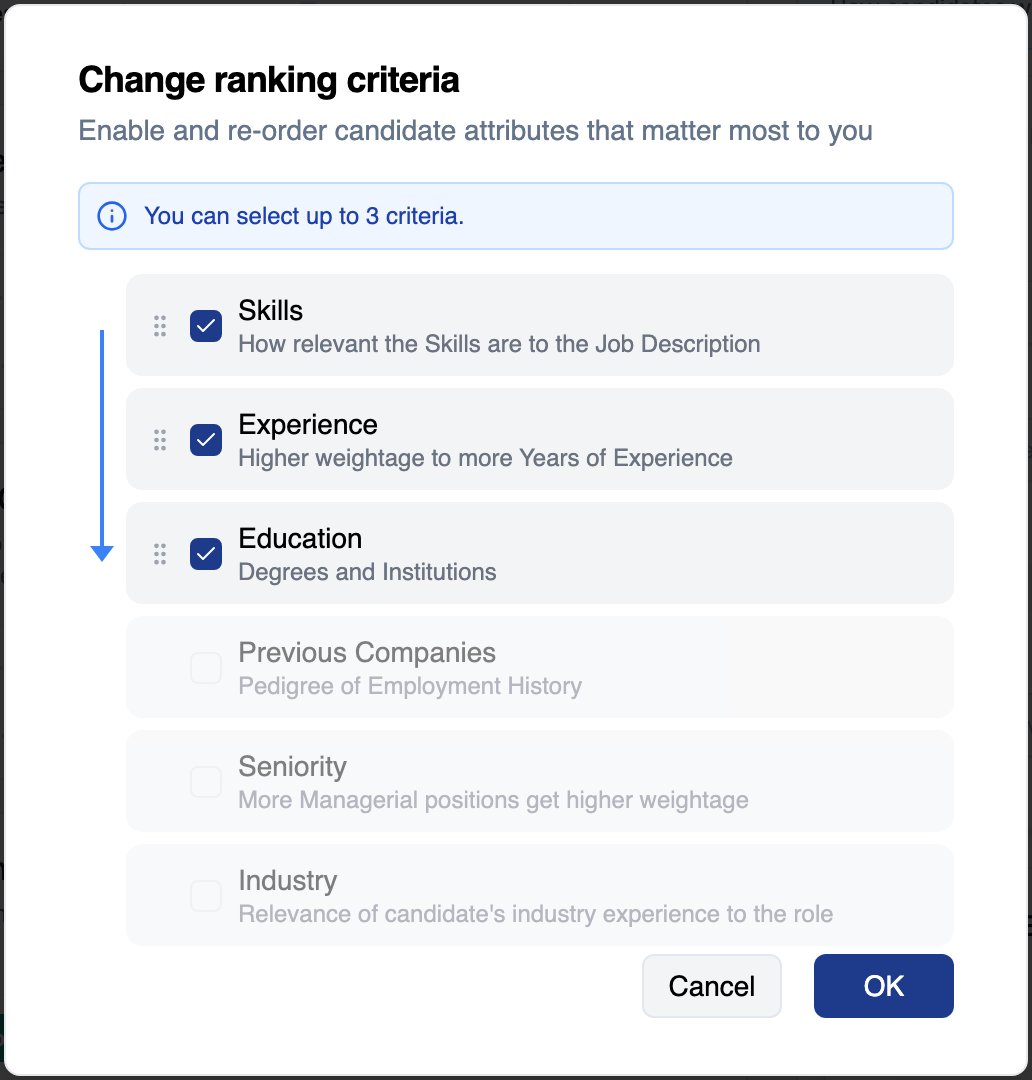
Up to three criteria can be selected, and dragging reorders them by weight
Changing your ranking criteria affects future applications only. Candidates who already applied keep their scores, and moving a candidate to a different job post does not re-score them either.
Using the Score in Your Workflow
The fit score is a prioritization signal, not a verdict. Confirm your read with the candidate’s full profile, scorecards, and assessment results before rejecting anyone. The score also shows up beyond the applications table:Related Resources
- CV Parsing - How Equip extracts the structured data the fit score is built on
- Application Form - Enable the fields your ranking criteria depend on
- Candidates and CVs - Sort, filter, and act on candidates by fit score
- How Credits Work - What re-ranking and other actions cost