
Enabling the Workspace
The Workspace is a per-interview setting for conversational interviews. It is off by default.1
Open the interview's settings
From the AI Interviews dashboard, open your conversational interview’s Settings page.
2
Turn on Enable Workspace
Switch on Enable Workspace. This adds a Workspace panel to the candidate’s interview screen where they can write answers in code or plain text.
3
Set the answer format per item
Every question, topic, and scenario now has an Answer format selector.
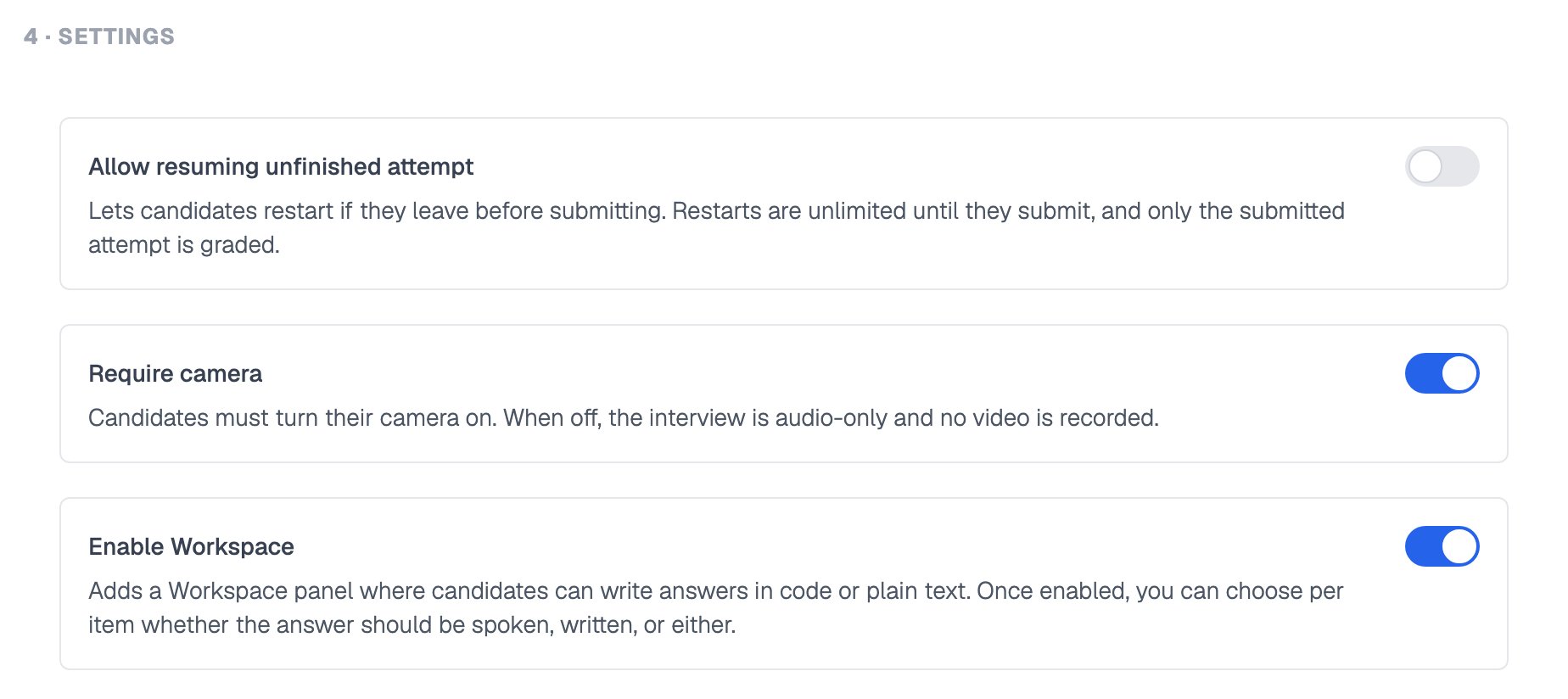
Enable Workspace switched on in the Settings section
The Workspace is being rolled out gradually and may not be available on every account yet. If you do not see the Enable Workspace toggle, contact support to ask about access.
Answer Modes
Use Written where you want to see exact output, such as a code exercise.
Workspace answers are limited to 5,000 characters per item. Candidates see an error if they exceed this.
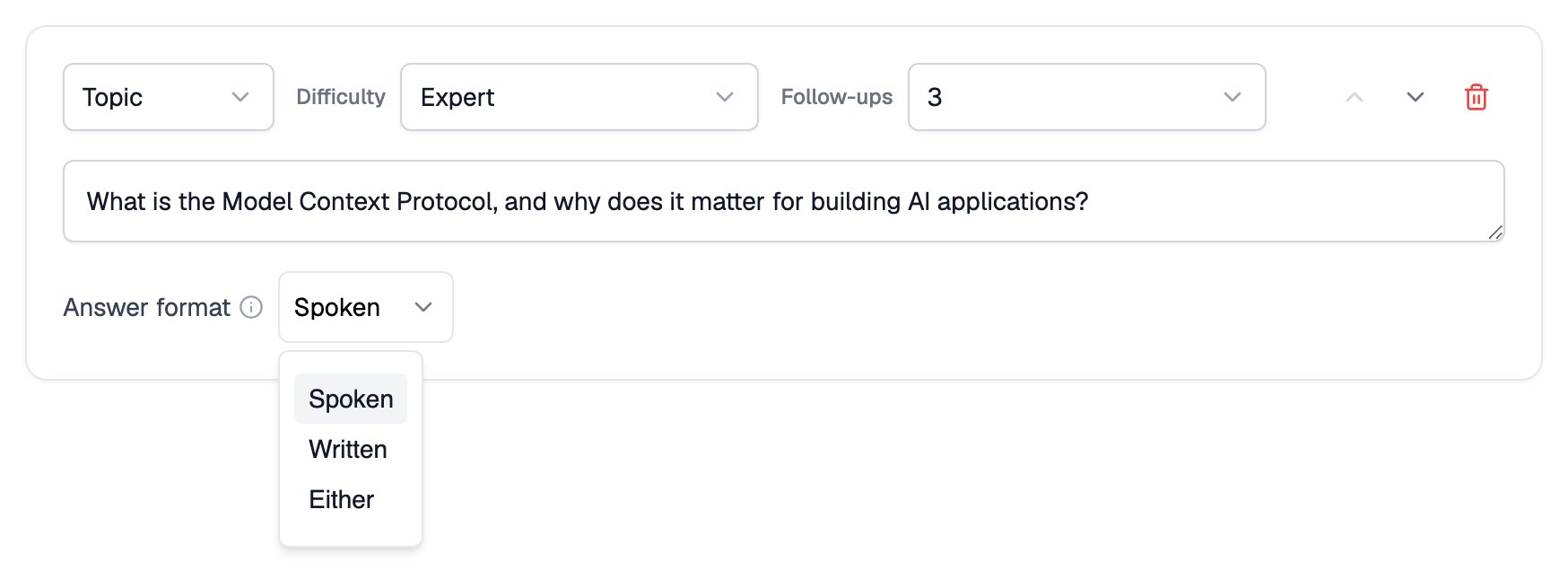
Answer format on an interview item, with Spoken, Written and Either
Coding Answers
The Workspace has two tabs on the candidate side: a code editor for programming answers and a plain text area for prose answers and notes. In the code editor, candidates pick from these language options:- Python, JavaScript, TypeScript, Java
- Go, C++, C#, Ruby, Rust
- SQL
- Any (candidate chooses)
Workspace Answers in Reports
Final code, written answers, and timestamped code snapshots all appear in the candidate’s interview report. Snapshots are seekable against the interview recording: click one to jump to that moment.For dedicated coding evaluation at scale, Equip also offers custom programming tests as part of Assessments.
Related Resources
- Create a Conversational Interview - Set up the interview the Workspace attaches to
- Questions, Topics, and Scenarios - The item types you assign answer formats to
- Interview Settings - Every other toggle on the conversational settings page
- AI Interview Reports - Where Workspace answers and code snapshots show up