
Change a Member’s Role
1
Open People
2
Open the member's actions menu
Click the three dots on the member’s row and choose Make Admin, Remove Admin Rights or, if you are the Owner, Transfer Ownership.
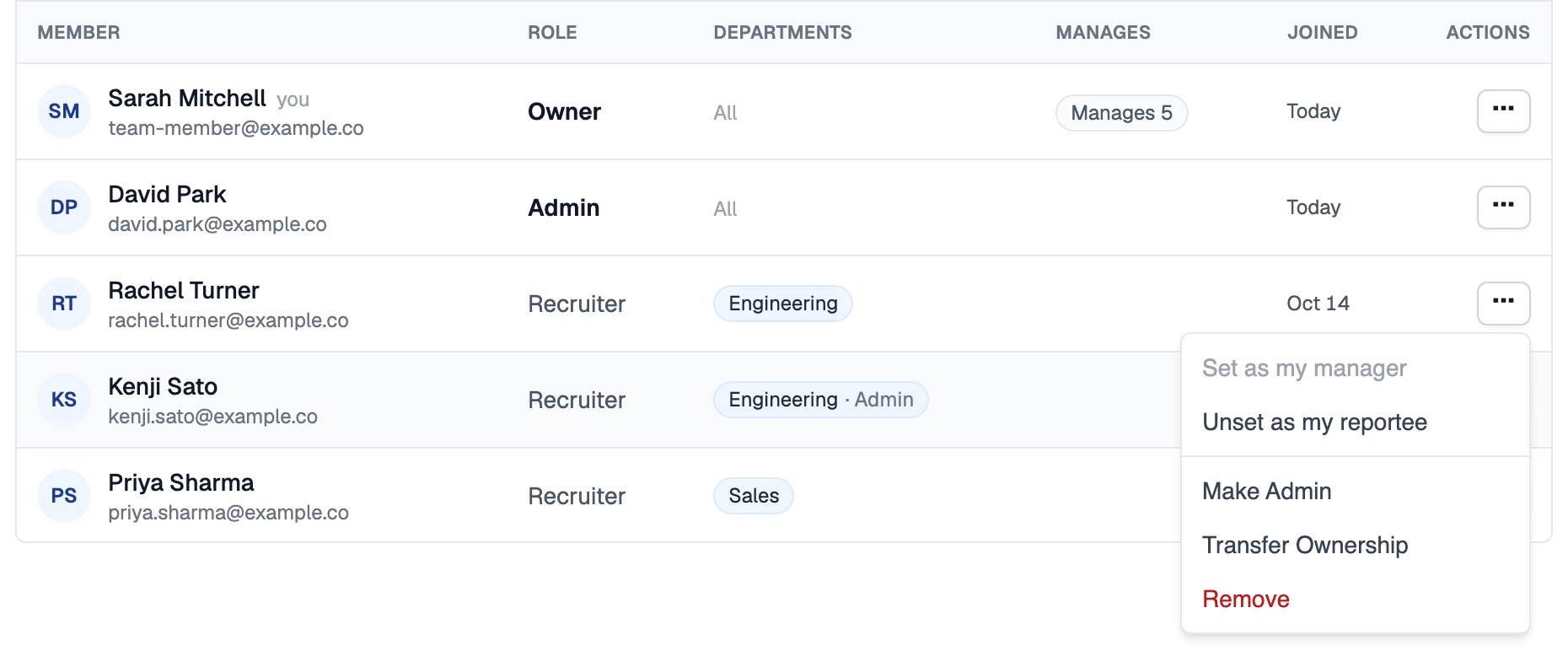
A member's actions menu, as the Owner sees it
When the Owner transfers ownership, they become an Admin. An organization always has exactly one Owner.
What Each Role Can Do
Reporting Lines
Reporting lines are separate from roles. Any member can record who manages whom from the same actions menu on the People tab:Related Resources
- Members and Seats - Invite, remove and buy seats for members
- Departments - Department admins and who sees what
- Organization Settings - Company details, auto-join and defaults
- Compare Plans - Seat limits on each plan