
Enable Your Careers Page
1
Open the settings
Go to Account → Careers Page in your Equip dashboard.
2
Turn it on and set your slug
Enable the careers page. Equip generates a URL slug for you, which you can edit to a cleaner name such as
your-company.3
Copy your public URL
Your page is live at
https://equip.co/companies/{slug}/hiring/.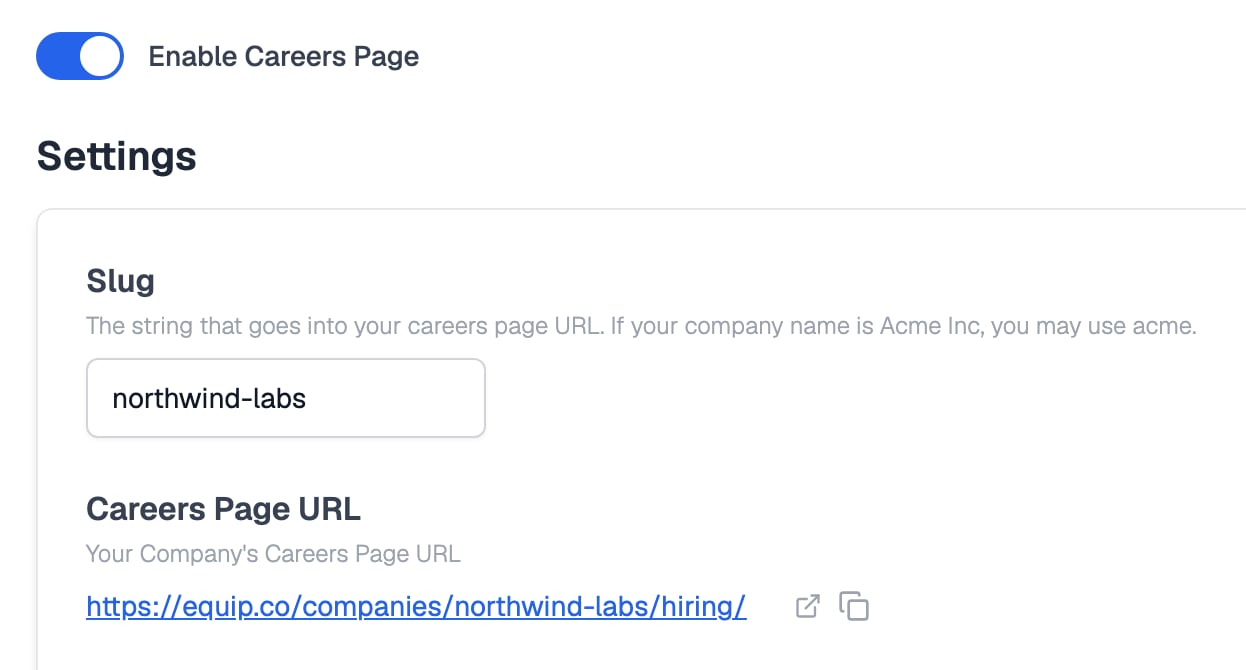
Switch the careers page on, then set the slug used in its URL
The careers page is part of Equip’s free ATS. Publishing jobs and hosting the page does not consume credits.
What It Includes
The public page shows every job post with the Published status whose deadline has not passed.
Candidates can search by keyword, filter by work arrangement, location, employment type, and minimum salary, then click through to the full job post to apply.
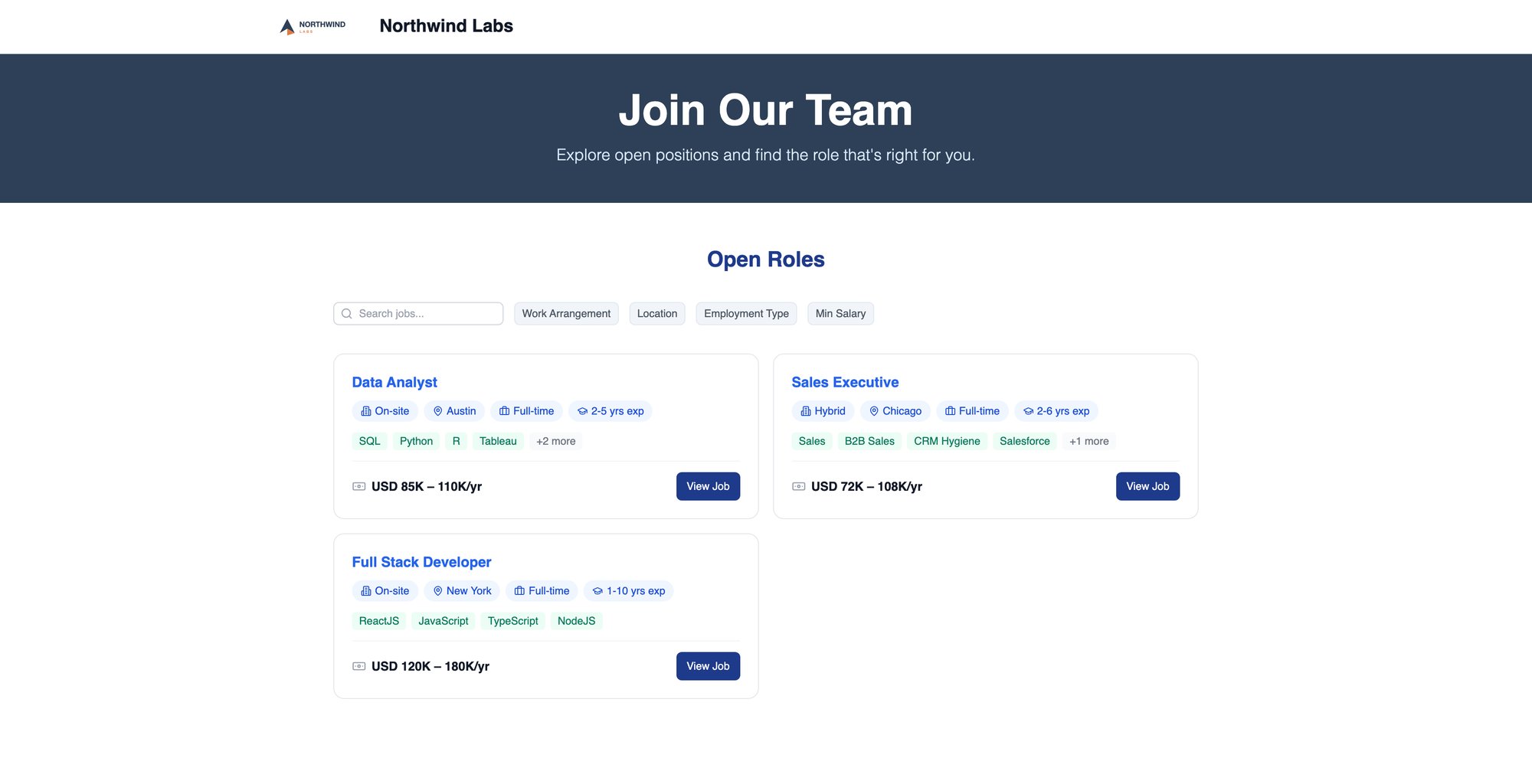
The careers page candidates see, with search and filters above your open roles
Customization
You can brand the careers page so it feels like part of your own site.- Company logo: the page uses the logo from your organization settings.
- Custom CSS: the settings page has a Custom CSS field where you can restyle any part of the page, for example
#careers-hero { background-color: ...; }.
Embedding on Your Site
The settings page provides a copyable Embed Code, an HTML link that points visitors to your Equip careers page.1
Copy the embed code
On Account → Careers Page, copy the provided embed code.
2
Paste it into your site
Add the snippet wherever you want the careers link to appear, such as your site’s Careers or Jobs section, then publish your site.
The embed code includes a comment asking that the link stay crawlable by search engines and count as a backlink. Keeping it intact helps both your jobs and your site get discovered.
Related Resources
- Sharing Job Posts - Share individual application links by email, WhatsApp, or social media
- Publishing to Job Boards - How to list your Equip jobs on LinkedIn, Indeed, and other boards
- Creating a Job Post - Set up the openings that appear on your careers page
- Organization Settings - Upload the company logo your careers page displays