
Searching Your Candidates
1
Open Candidate Search
In the sidebar, go to ATS and click Candidate Search.
2
Search by name or email
Type at least 3 characters, set the filters if you want to narrow the results, then click Search or press Enter. Typing alone does not run the query.Invitations do not store a name, so invitation-only candidates can only be found by email.

Search by name or email, then narrow by activity type or date
Search Scope
Each result is an activity the candidate was involved in, not just an application: a job application, an assessment or AI interview attempt, or an invitation to either. The Activity type filter limits results to one of these, and the Activity date filter to a time period. Invitations are tracked separately from attempts, so you can check whether an invited candidate has actually started.Managing Results
Clicking a result row deep-links to the dashboard that owns that activity: the job post’s applications dashboard, the assessment’s results page, or the AI interview’s results page.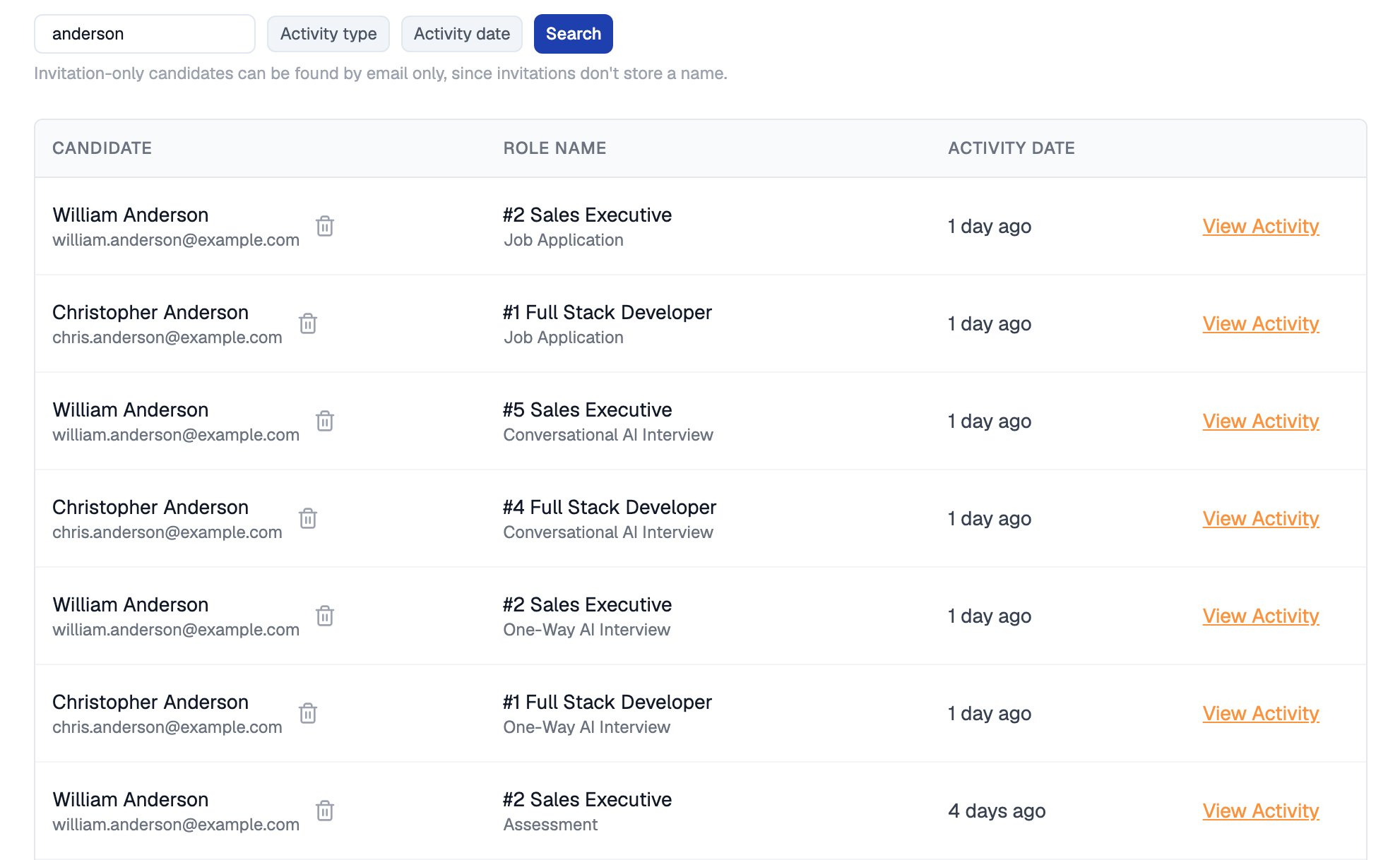
Each result names the role and activity, and links straight to it
The full candidate profile, scores, stage controls, and journey history live on the destination dashboards.
Related Resources
- Talent Rediscovery - Search your entire talent pool by skills and experience instead of name
- Candidate Pipeline - The hiring stages behind each job opening
- Candidate Profile - What you can see and edit once you reach a candidate’s record
- Candidates and CVs - How candidate records and resumes are organized in the ATS