
What to Check First
Ask the candidate to click their assessment link again and record a short video of what they see.
Meanwhile, if your assessment has multiple tests, change the Results page filters to include Unfinished attempts and look for the candidate there.
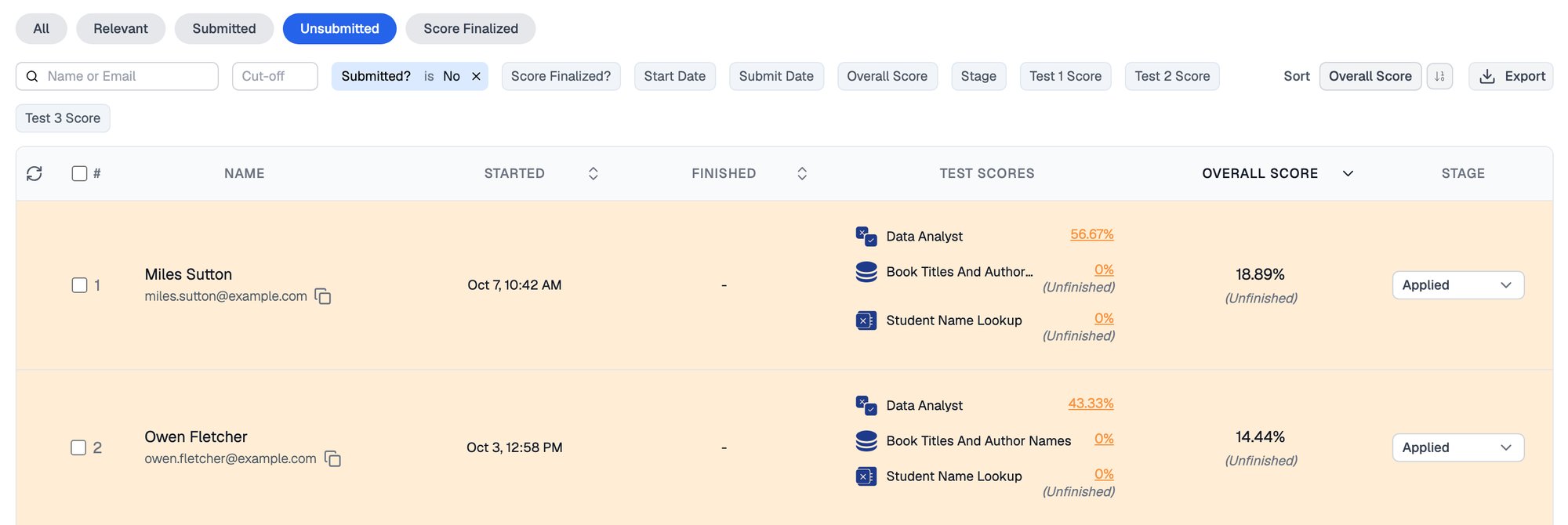
The Unsubmitted tab lists attempts that were started but never finished, with each incomplete test marked Unfinished
Why the Submission Is Missing
They only finished the demo test
A candidate who skims the instructions may complete a demo test and assume they finished the real assessment, despite the “Not Actual Assessment - Just Demo Tests” banner.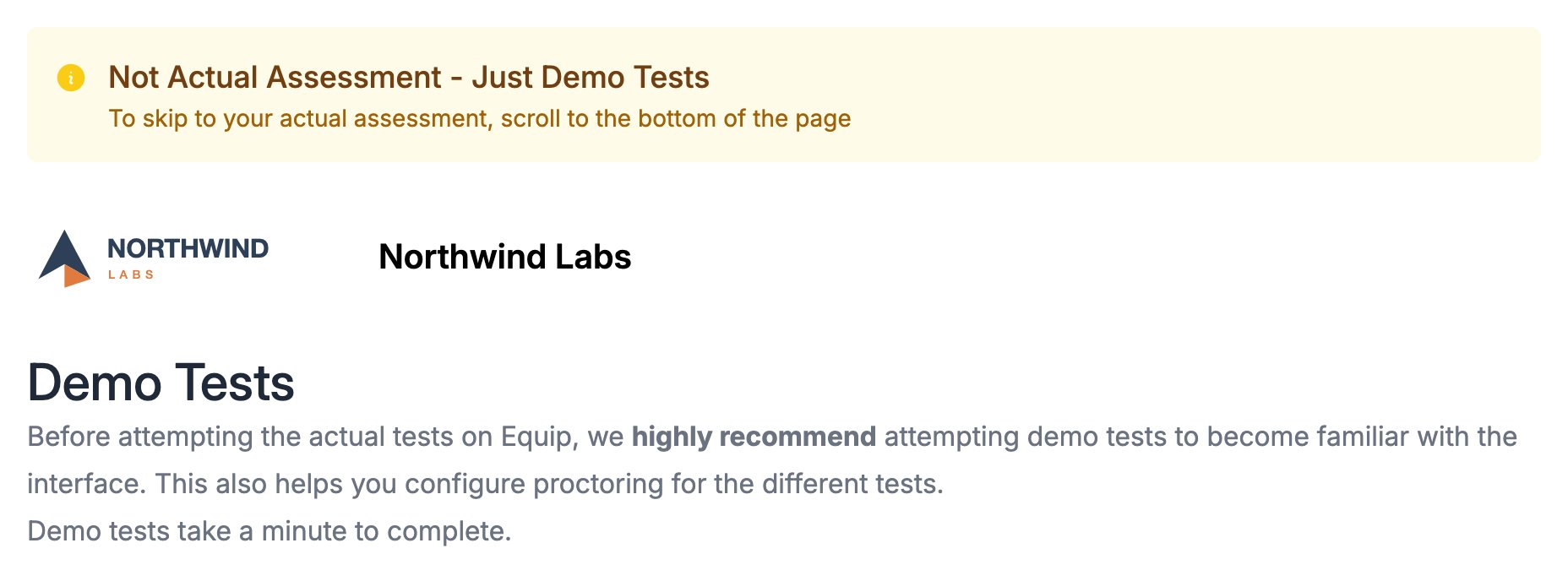
The demo tests page a candidate sees before the assessment, with the banner saying it is not the actual assessment
They did not finish every test
In a multi-test assessment, a candidate who completed only some tests sits in the Unfinished state.Demo tests and multiple tests apply only to assessments, not AI interviews.
If It Was an AI Interview
Ask the candidate to open their AI interview link again, and check the interview’s AI Interview Results page from the AI Interviews dashboard. Its Status filter separates Finished from Not Finished.Re-inviting the Candidate
It is always safe to invite the candidate again: an attempt is tied to their email ID, so a fresh invitation never creates a duplicate submission.1
Send a fresh invitation
Invite the candidate from the assessment as usual. One credit is deducted for the new invitation.If they had finished, they see the completed screen. If they had not, any of their links resumes the original attempt.
2
Reclaim the unused credit
The new link goes unused, so you can reclaim its credit 24 hours after the invitation. Verify the deduction on your Credit Usage page.
Contacting Support
If none of the above resolves it, escalate to Equip via chat or hello@equip.co.Related Resources
- Demo Tests - Why candidates see practice tests before the real assessment
- Missing Results - Other reasons results may not appear where you expect
- Resume Your Attempt - How candidates continue an unfinished assessment
- Reclaim Credits - Get credits back for unused invitations