
How Duration Is Calculated
Every question in Equip’s question bank has a timer. Equip adds up these timers across all tests and shows the Estimated Assessment Duration in the Test Order tab of the assessment builder.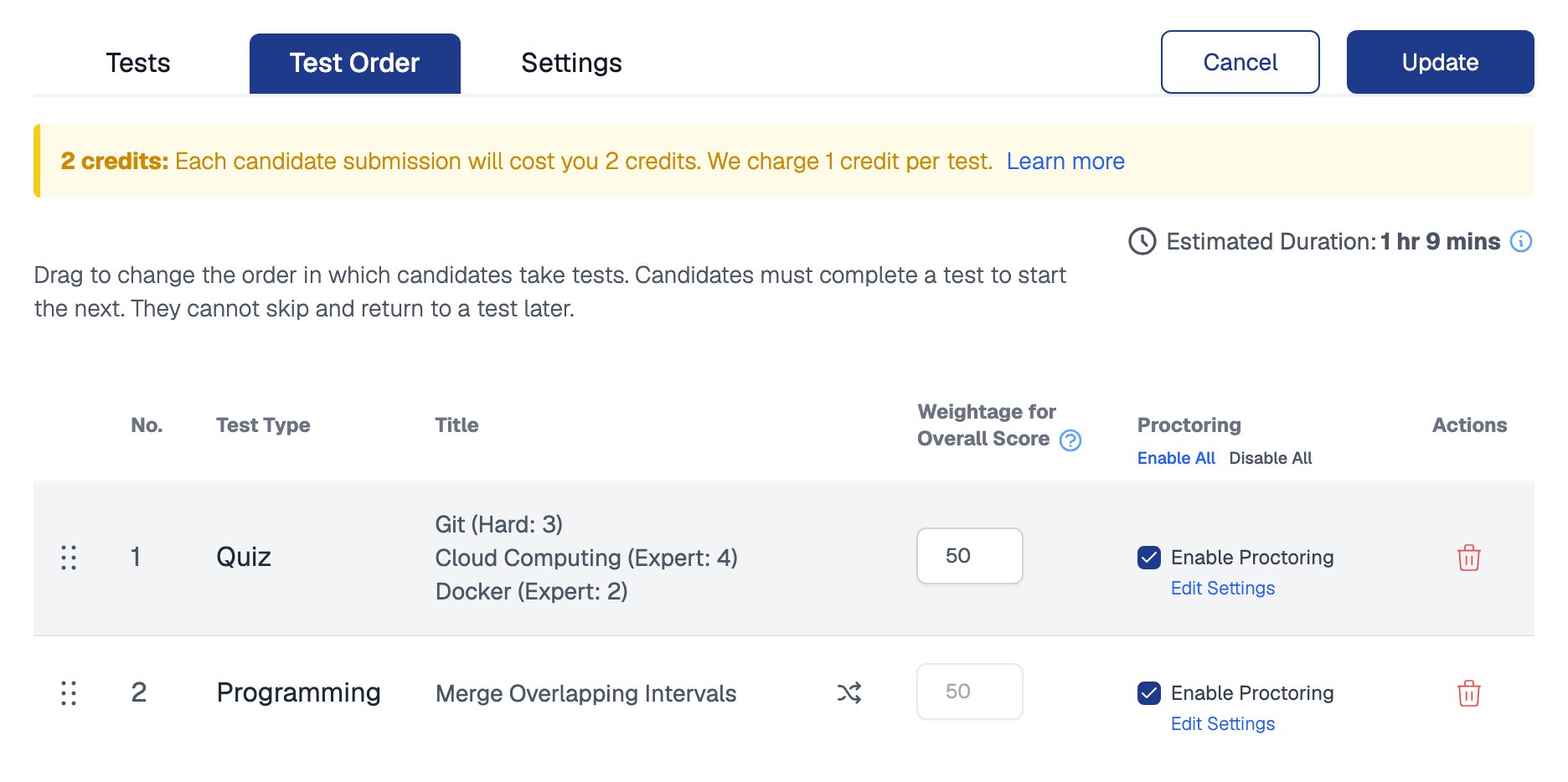
The Test Order tab shows the estimated duration above the list of tests
There is no assessment-level time limit. Candidates can take breaks between tests, so the exact end time of an assessment cannot be controlled. Timers apply per test or per question, depending on the test type. See Time Limits for details.
Planning Assessment Length
Some tests have predictable durations:
For quizzes, duration scales with the number of questions you configure per skill. See Question Limits for the caps per test type.
The start window in Assessment Settings controls when candidates may begin, not how long they get once they start.
Changing Test Durations
Timers on Equip Content are fixed and cannot be edited. Timers on Custom Tests are yours to set, and you can mix both in the same assessment.1
Open the assessment builder
From the Recruiter Dashboard, open your assessment’s settings.
2
Add or remove content in the Tests tab
With Equip Content, change the duration by adding or removing tests, or by adjusting the number of questions per skill.
3
Edit timers on Custom Tests
Set the timer on each question, or on the whole test for all-at-once quizzes. Saved changes apply to candidates who attempt after the change.
4
Check the new estimate
Open the Test Order tab to see the updated Estimated Assessment Duration.
Related Resources
- Time Limits - Where time limits apply for each test type
- Custom Quiz Time Limits - Set per-question or whole-test timers on your own quizzes
- Create an Assessment - The full assessment builder walkthrough
- Assessment Settings - Start windows, candidate login, and other options