
Schedule an Interview
1
Move the candidate into the stage
Move one candidate into a Live Interview stage, and the schedule dialog opens. For a candidate already in the stage, click Schedule in the candidate’s details.
2
Set the slot, mode, and panel
Pick the date and time, then choose Video, Phone, or In-person and say where the interview happens: a meeting link, a phone number, or an address, typed or picked from a saved location. A panel is required.
3
Choose the emails and schedule
Choose who gets an email, then click Schedule. You can set a Reply-To team member and use Schedule send to delay the emails.
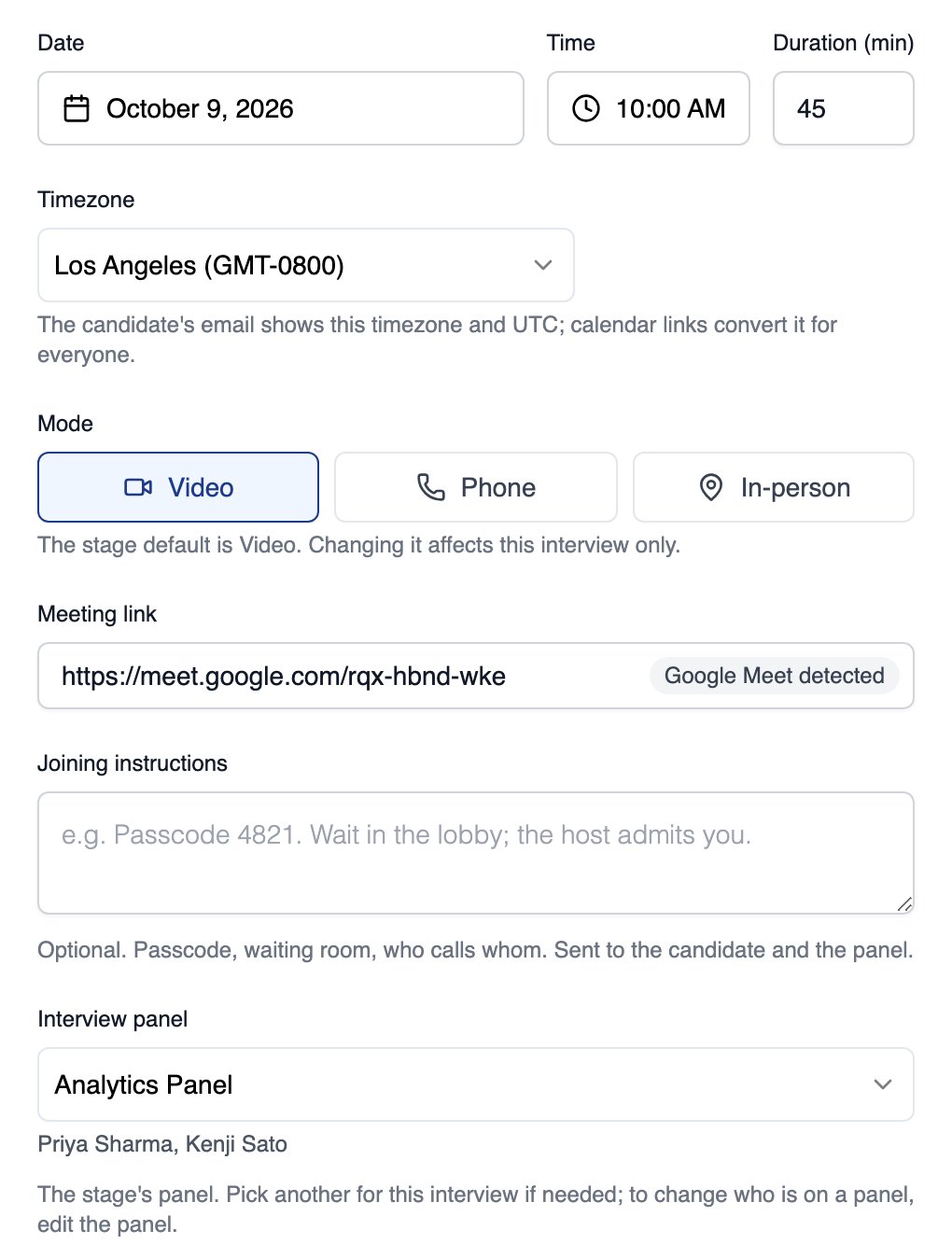
The schedule dialog with the slot, mode, meeting link and interview panel
Equip does not create the meeting for you; paste a link from your own video tool. Both emails include Add to calendar links for Google Calendar and Outlook.
Set Up the Stage
Each Live Interview stage carries defaults that pre-fill the schedule dialog, and you can change them per interview. Set them on the stage card in the job’s Settings, under the Candidate Pipeline tab.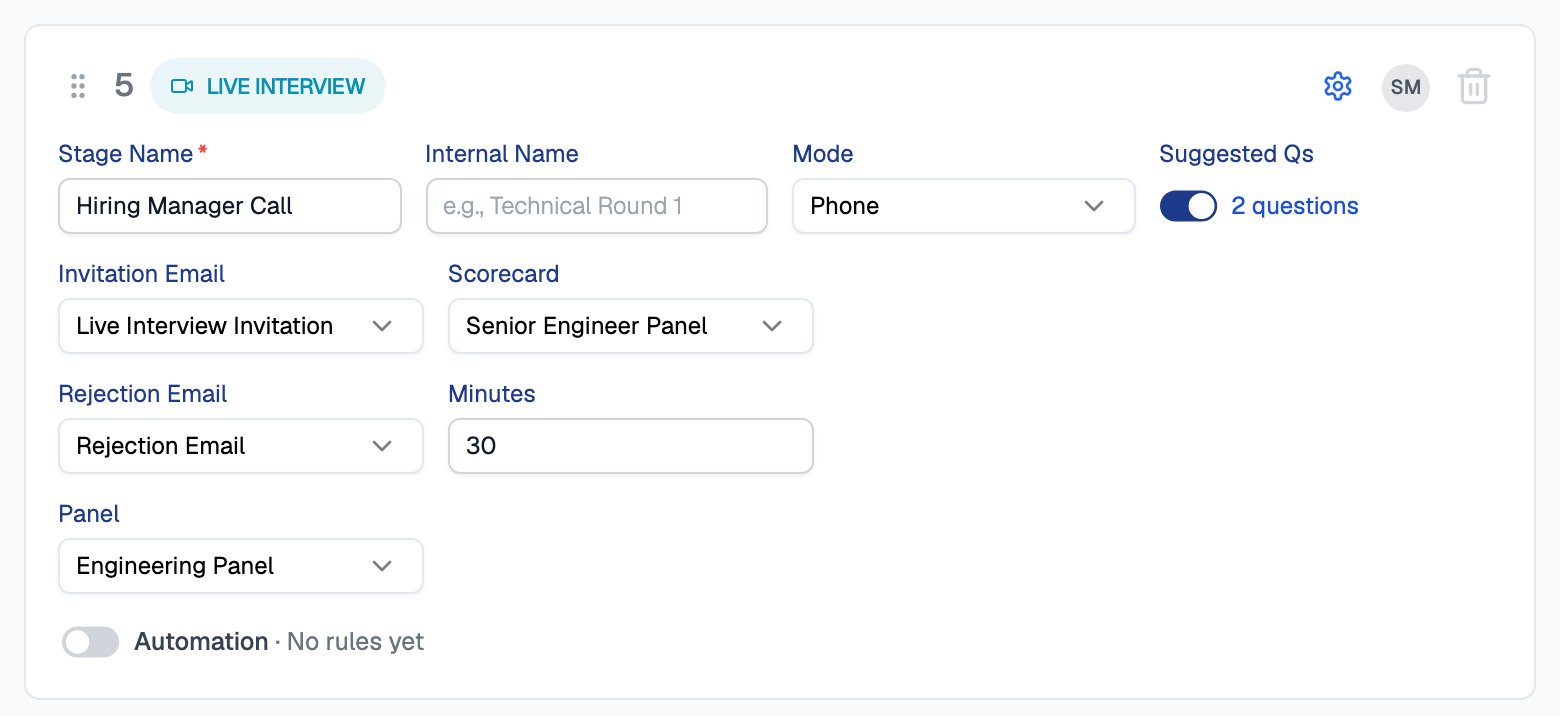
A Live Interview stage with its default mode, length, panel, scorecard and suggested questions
The Emails That Go Out
Scheduling can send two emails. Edit both in Email Templates.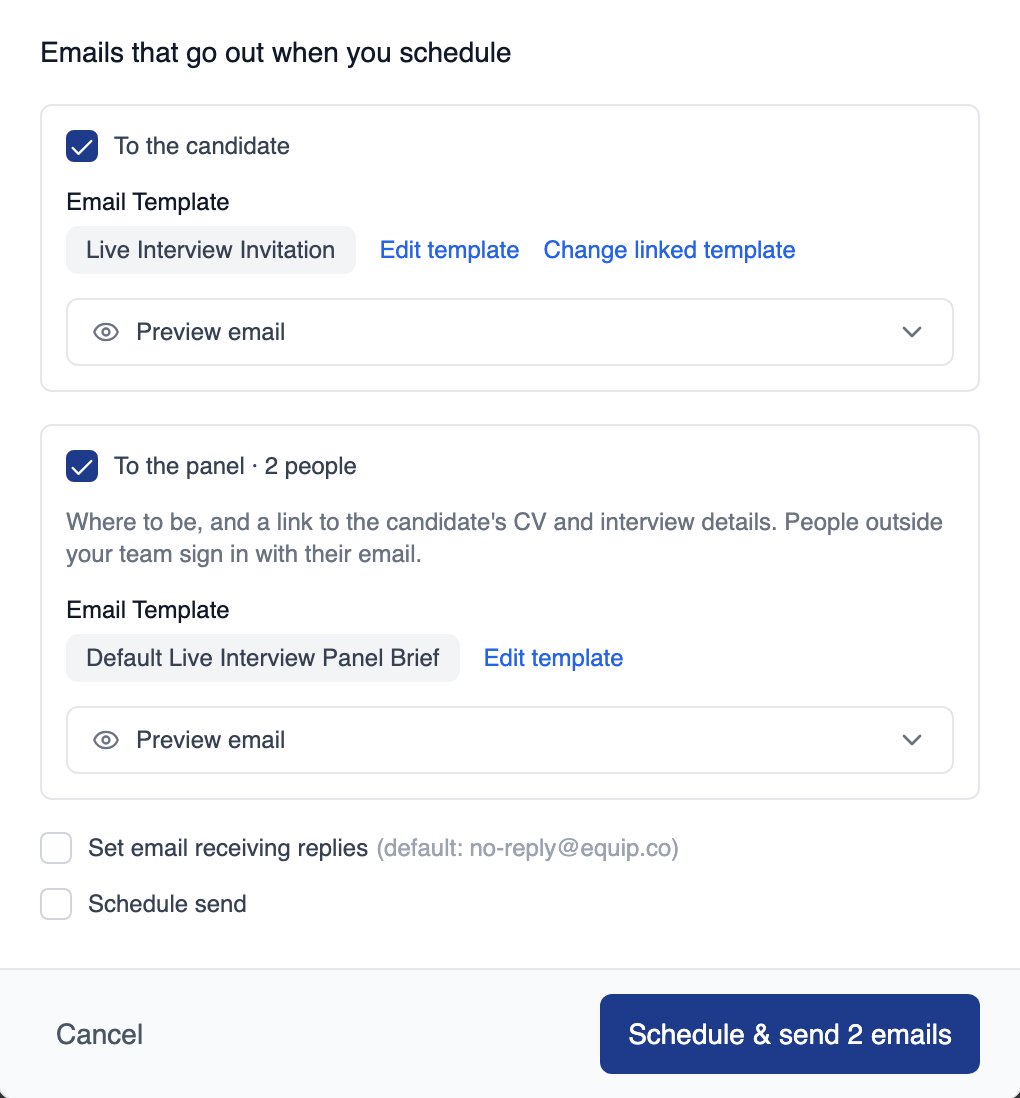
The candidate invite and panel brief, each with its own checkbox, and the Schedule button
Reschedule or Cancel
You can change a booked interview from the Live Interviews page or from the candidate’s details.
Both actions can notify the candidate and the panel, and the reason you enter is included in the email.
The Live Interviews Page
Live Interviews, under ATS in the sidebar, lists interviews across all your job openings.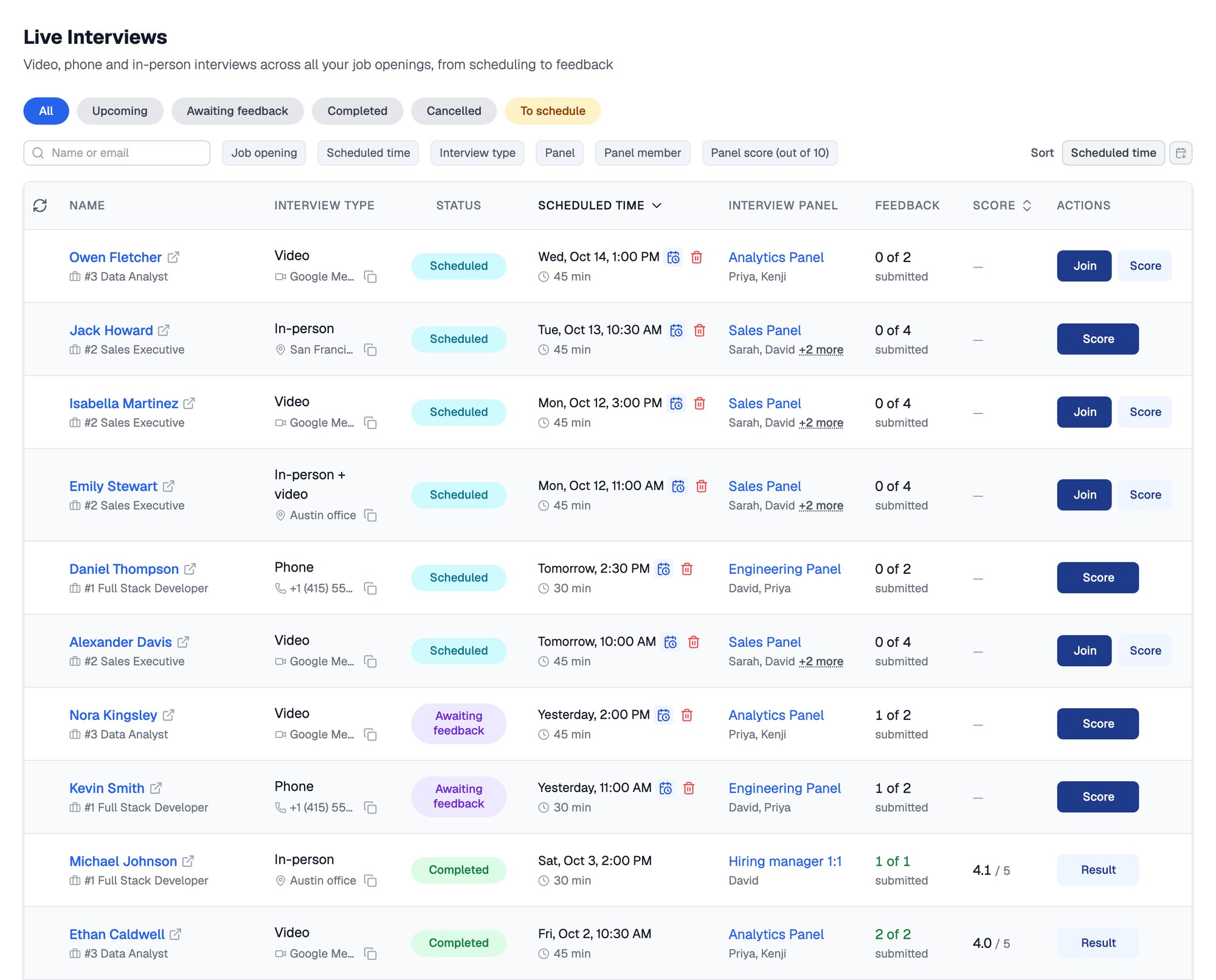
The Live Interviews page, with view pills, filters and every interview across your openings
Related Resources
- Interview Panels and Locations - Set up the people and places interviews use
- Interview Feedback and Results - How panellists score and how you decide
- Scorecards - Build the scorecard a panel fills in
- Email Templates - Edit the invitation and panel brief emails