
Submit Feedback
1
Open the scoring page
Click Score on the Live Interviews page, or follow the link in the panel brief email.
2
Rate each criterion
Give a star rating for each criterion on the scorecard. Use Interview notes for anything that does not belong to a single criterion.
3
Add your read and submit
Fill in any feedback blocks the scorecard includes, such as your Overall recommendation, then click Submit feedback.
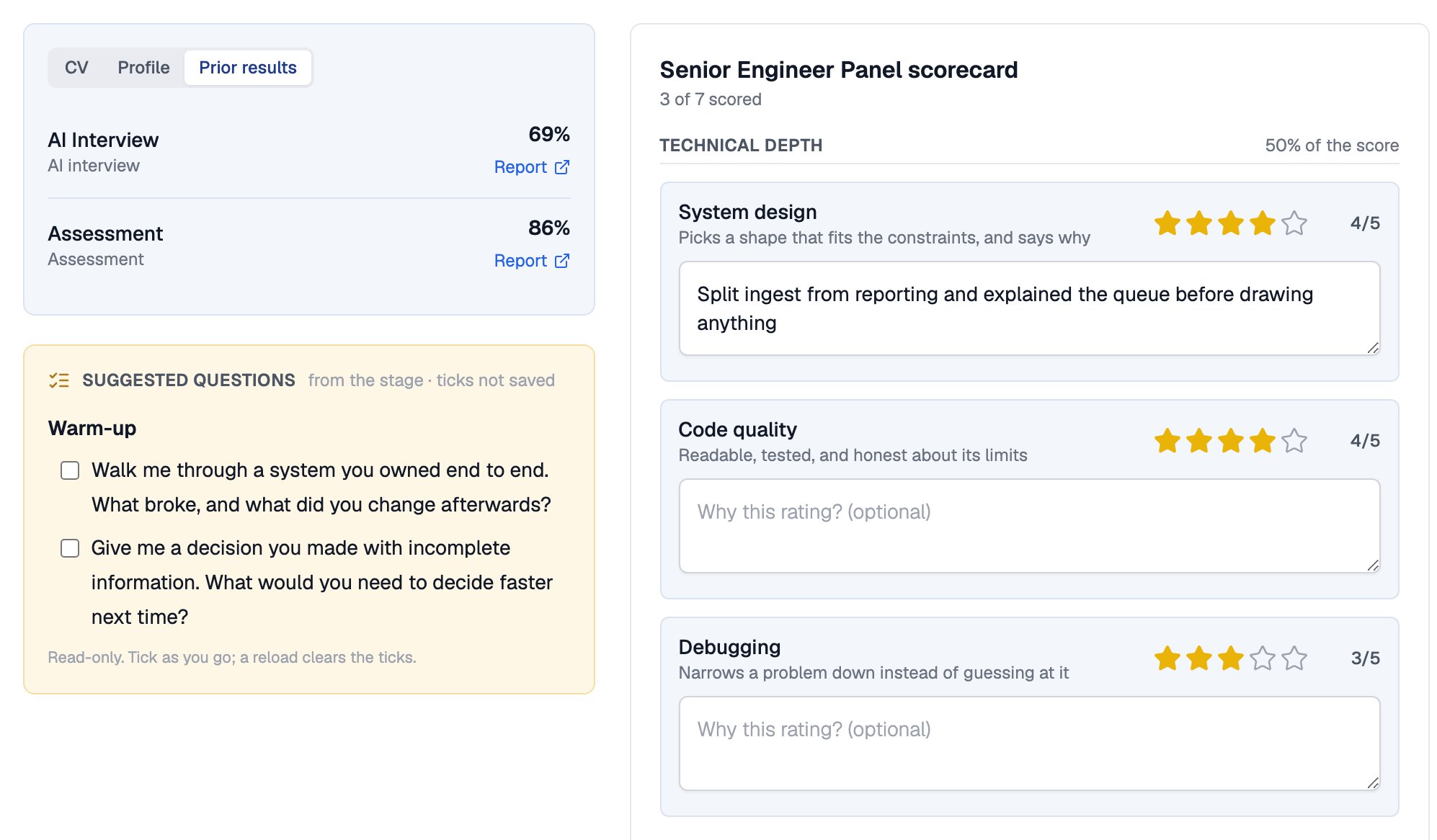
A panellist's scoring page, with prior results and suggested questions beside the draft scorecard
Blind Feedback
Panellists score independently, and drafts are never visible to anyone but their author.No-Shows and Absences
The More menu on the scoring page handles interviews that do not go to plan.When a Round Completes
A round becomes Completed when every panel member has either submitted feedback or been marked as not attending, with at least one submission. Recruiters can also close a round early. Once the slot has ended and at least one panellist has submitted, choose Complete without waiting from the More menu.The Result Page
For a completed round, the Result action opens the result page. It is visible to recruiters on your team. It shows the panel’s weighted score, a tally of recommendations flagged split when the panel disagrees, and every rating side by side with a spread marker where ratings differ.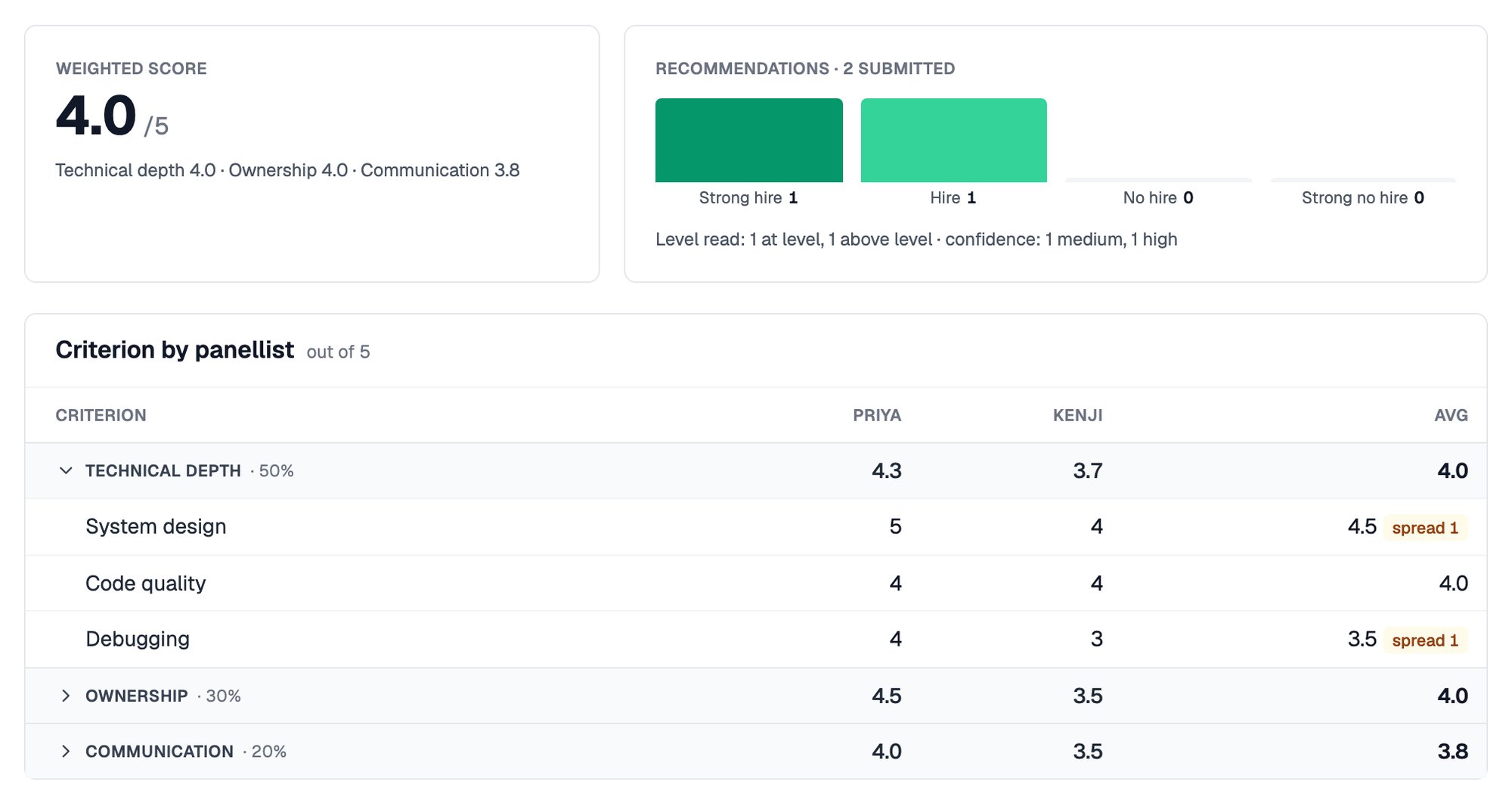
The weighted score, recommendation tally and each panellist's ratings side by side
Earlier rounds carry forward. A later panel sees previous interview scores and the “Probe next round” notes under Prior results.
Related Resources
- Scheduling Live Interviews - Book the interview and brief the panel
- Interview Panels and Locations - Choose who interviews and scores
- Scorecards - Define the criteria, sections, and feedback blocks
- Changing Stages - What happens when you advance or reject a candidate