
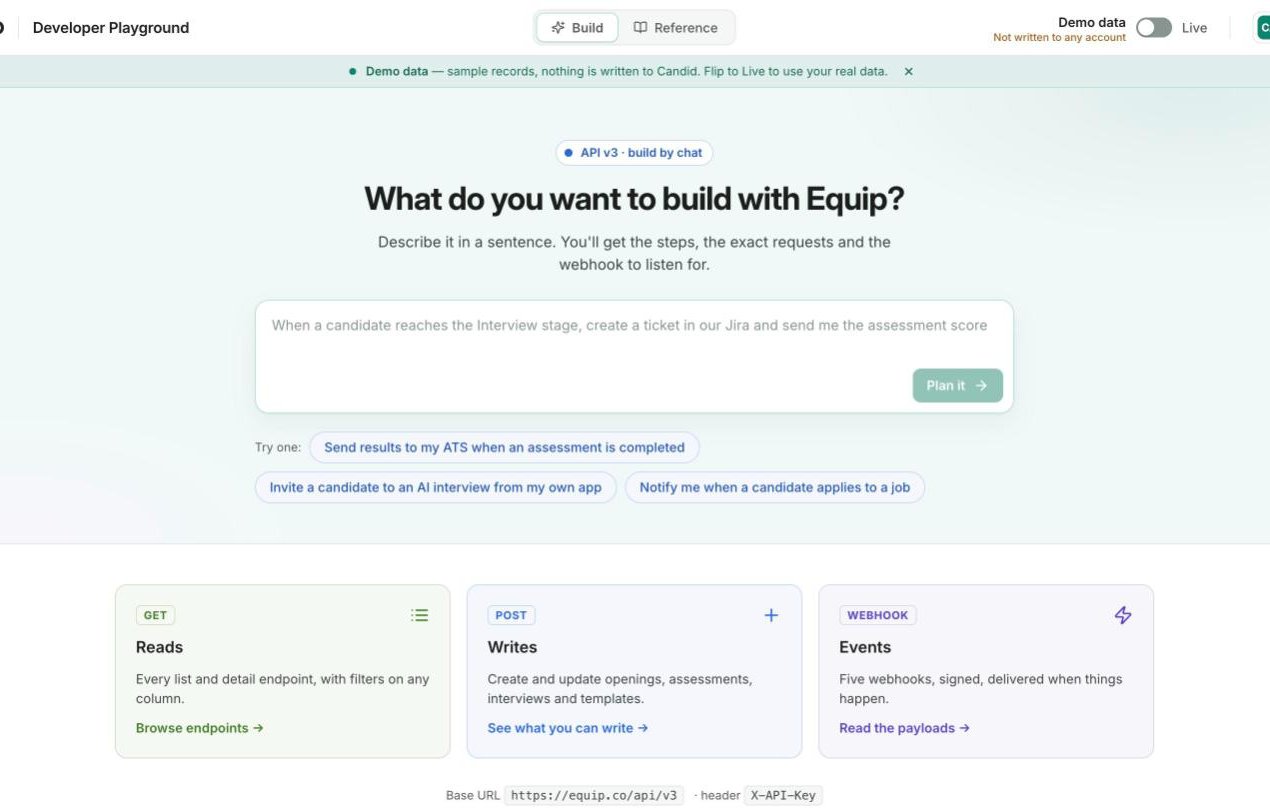
The Developer Playground at equip.co/developers/
Try a Request
Every documentedGET endpoint has a try-it panel. Pick the endpoint, set its query parameters, and run it.
1
Open the reference
Go to equip.co/developers/reference/ and pick a resource, for example Job openings, then one of its operations.
2
Fill in the parameters
The panel lists the query parameters the operation accepts, including filters on any column. A run returns at most 25 records; set
limit lower for a quicker look.3
Run it
Click run. The response, its status and the request id are shown next to the request. In Demo data mode the request runs against a fictional organization, so nothing you do touches a real account.
4
Copy the code
Switch the snippet between curl, Python and JavaScript and copy it. The snippet carries a placeholder where your API key goes.
The page runs reads only. For a
POST, PATCH or DELETE operation the panel still shows the documentation and the code snippet, which you run from your own code with your API key.Run on Your Own Data
The Demo data / Live switch at the top of the page moves the try-it panel onto your organization’s data. Live mode runs each request as your organization’s admin sees it, without you pasting the API key anywhere.
Live runs count against your organization’s own rate limit, and the panel shows the
RateLimit-* headers each response carries, so you can see your remaining allowance as you work.
Browse the Reference
The Reference tab is generated from the same OpenAPI document that drives the API, so it never drifts from what the server accepts.
Each operation page has its own address, so you can link a teammate straight to the endpoint you are discussing.
Build an Integration by Chat
The Build tab at equip.co/developers/ is a conversation with Equip’s assistant in build mode. Describe what you want in a sentence, such as “post to Slack when an assessment is graded”, and it answers with a plan. A plan contains three parts:- The webhook to subscribe to, when an event fits the request
- The requests to make, in order, each runnable on demo data right there with the code to copy
- The part you write on your side, stated plainly
The assistant plans against demo data whether or not you are signed in, and it says plainly when Equip has no event or endpoint for what you asked. Your thread is kept in the browser tab, so a reload keeps it; New conversation starts over.
Related Resources
- API Keys and Authentication - Get the key the copied snippets need
- API Integrations - What the REST API lets you read and write
- API Rate Limits and Errors - What the rate-limit headers in Live mode mean
- Webhooks - Set up the events the Build tab recommends